Hosting & celebrations · July 27, 2026 · 6 min read
Thanksgiving Menu Planner With a Free Fillable PDF
Use this Thanksgiving menu planner to assign every dish, mark what still needs shopping, and set the serving order on one fillable page.
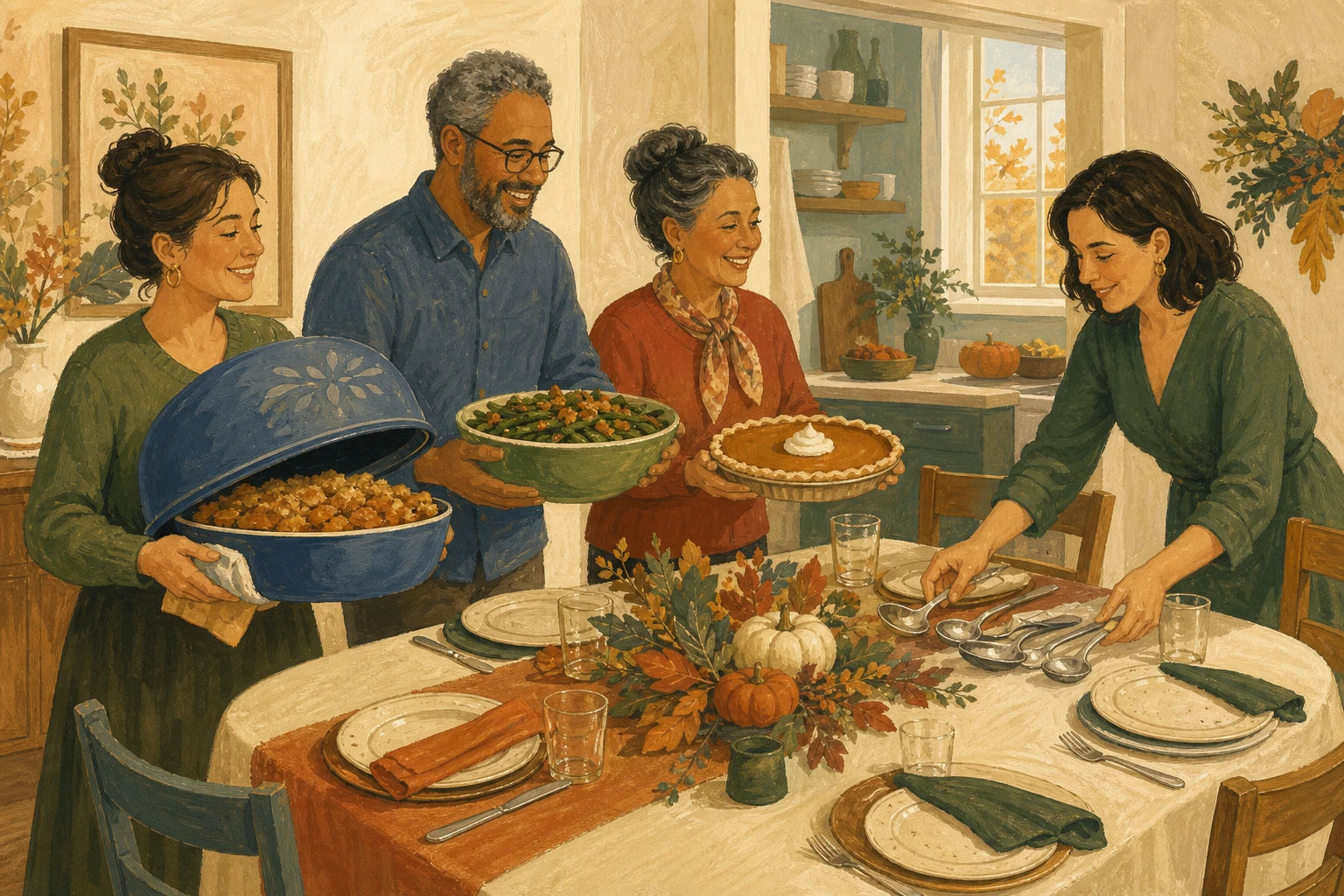
Write the Thanksgiving menu in the order the food will land on the table. Then put one person's name beside every dish before anyone opens the shopping list.
A Thanksgiving menu planner should settle the meal before it becomes a stack of recipes and errands. The serving order shows whether the table has accidental gaps or duplicates. The names show whether each dish is an actual plan or still an idea resting with the host.
Write the meal in serving order
Start with the shape of the meal, not a giant list of possibilities. Write the main dish or centerpiece first, then the dishes you want served beside it. Put bread and sauces in the next rows. Dessert can finish the list where your family expects to see it.
You aren't trying to create a traditional menu that every Thanksgiving must follow. You're checking the particular table your family chose. If two relatives both want to bring a casserole, keep both when everyone wants both. If the list has six side dishes and no dessert, decide whether that is a real choice or an unfinished conversation.
The serving number on the printable is deliberately simple. It can mean how food reaches the table or appears on a buffet. A host can also use it while setting out serving pieces. It does not need a precise minute.
That distinction keeps this page out of the day-of cooking schedule. The menu answers what is part of dinner and who has it. A Thanksgiving day schedule covers task timing and oven use through the moment food is served. Those are two different planning jobs.
Once the dishes are settled, use the Thanksgiving day schedule to sequence the cooking and handoffs.
Planning a Christmas table instead? Use the free Christmas dinner menu template to give each course and contribution a clear place without turning the page into a recipe or cooking schedule.
Give every dish one owner
Put one adult's name beside each dish. That person confirms the dish and closes any shopping or serving-piece detail.
For a potluck, the owner may be the person bringing the dish. For food made in the host's kitchen, the owner can be the person who is making it or buying what it needs. A shared dish can still have one lead. Two names in one box often means each person expects the other to close the last detail.
Use the person's real name rather than a role like host or kitchen. If the host still owns six of eight rows, the sheet hasn't failed. It has shown the current plan clearly enough for the family to decide whether that is what they want.

Copy dietary notes without interpreting them
Use the dietary-notes line only for words the family or guest supplied. Copy the note as given, then confirm it directly with that person.
The line isn't a place to decide whether a dish is suitable or to translate one person's needs into a rule. It makes the open question visible so the host and the person bringing food can confirm directly. If the note changes what belongs on the menu, update the dish row after that conversation.
This is also why the printable has one wide notes line rather than a set of prewritten categories. The family supplies the information. The sheet records it without interpreting the note or making a promise about the food.
Download the Thanksgiving menu planner
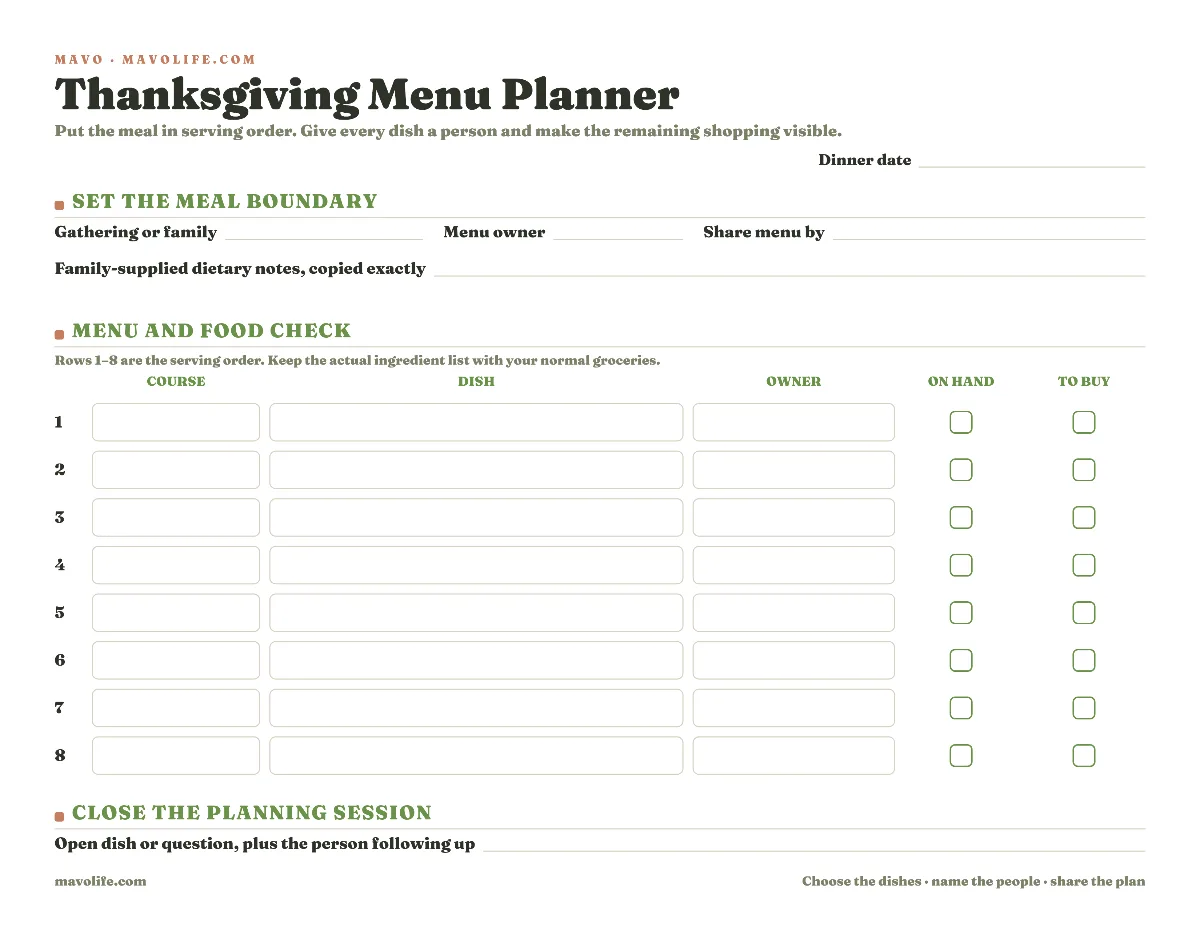
Download the fillable Thanksgiving menu planner (PDF)
Fill the page during one planning sitting. Start with dishes and owners. Then make one kitchen pass to mark whether the ingredients for each dish are already there or whether that dish still needs shopping.
The checkboxes are dish-level reminders. They don't replace an ingredient list. Need to buy beside mashed potatoes means that dish still has something to add to the grocery list. The ingredients belong on the grocery list you already trust.
The file works without an account. Type into it before printing or write on paper. Put the settled page somewhere the host and at least one other contributor can read it. If one phone note already gives everyone the same answer, keep using the note and skip the print job.
Make one shopping pass
Compare the recipes your family chose with what is already in the kitchen. Move down the planner one dish at a time and mark one of the two shopping states.
- Ingredients here: the person responsible has what they need for that dish.
- Need to buy: at least one item for that dish still belongs on the grocery list.
- Neither checked: the dish or its plan still needs a direct answer.
The useful blank is the third one. An unchecked row tells you where the menu is still pretending to be finished. Put that dish in the final Open dish or question line and name the person following up.
Don't turn the printable into a second grocery list by squeezing ingredients into the dish cell. A Thanksgiving dinner checklist needs to show which food decisions are open. The detailed shopping items are easier to use in the same paper pad or shared list the household already uses for every other grocery trip.
If you want weekly dinners and individual grocery items in one reusable file, the meal-planning template with grocery list has a workbook and fillable weekly version. This page stays with one holiday meal.
Adapt the sheet to the gathering
For a potluck
Use the owner column for the person bringing each dish. Share the settled menu after the planning session so people can see the whole meal, not only their own text message. Keep one person as the contact for each row even when two households are making it together.
For a small dinner
Use fewer rows. Empty space can describe a complete menu. You don't need to invent an appetizer or another side because the page has room for one.
When plans cross two homes
Send the same filled file to both homes instead of maintaining two versions. If a dish or owner changes, update one copy and share it again. Write updated and the date in the open-question line until everyone has the current version.
When somebody hasn't decided yet
Write the person's name in the owner column and leave the dish blank, or write the proposed dish and leave the shopping state blank. Either choice shows exactly what needs a reply without converting maybe into a promise.
When a dish changes
Suppose Maya swaps green bean casserole for roasted carrots after the menu was shared. Replace the dish in Maya's row, then clear the old shopping mark until she confirms the ingredients. Send the revised page to the same people who received the first one. Don't leave the old dish and the new dish circulating as two plausible plans.
In Mavo, add the replacement dish to the family's shared list and give one adult any remaining confirmation or shopping task. Use that entry as the current change note. Mavo doesn't choose the menu or interpret dietary notes.
The family hosting collection has nearby plans for other gatherings. For ordinary weeks, keep using the meal plan your household already knows.
Download the planner, fill only the rows this dinner needs, and send one settled copy to every person named on it.