Meal planning · July 16, 2026 · 8 min read
Meal Planning Template With Grocery List (Free)
Download a free meal planning template with grocery list: a Google Sheets-compatible workbook and fillable PDF for dinners, owners, and shopping.
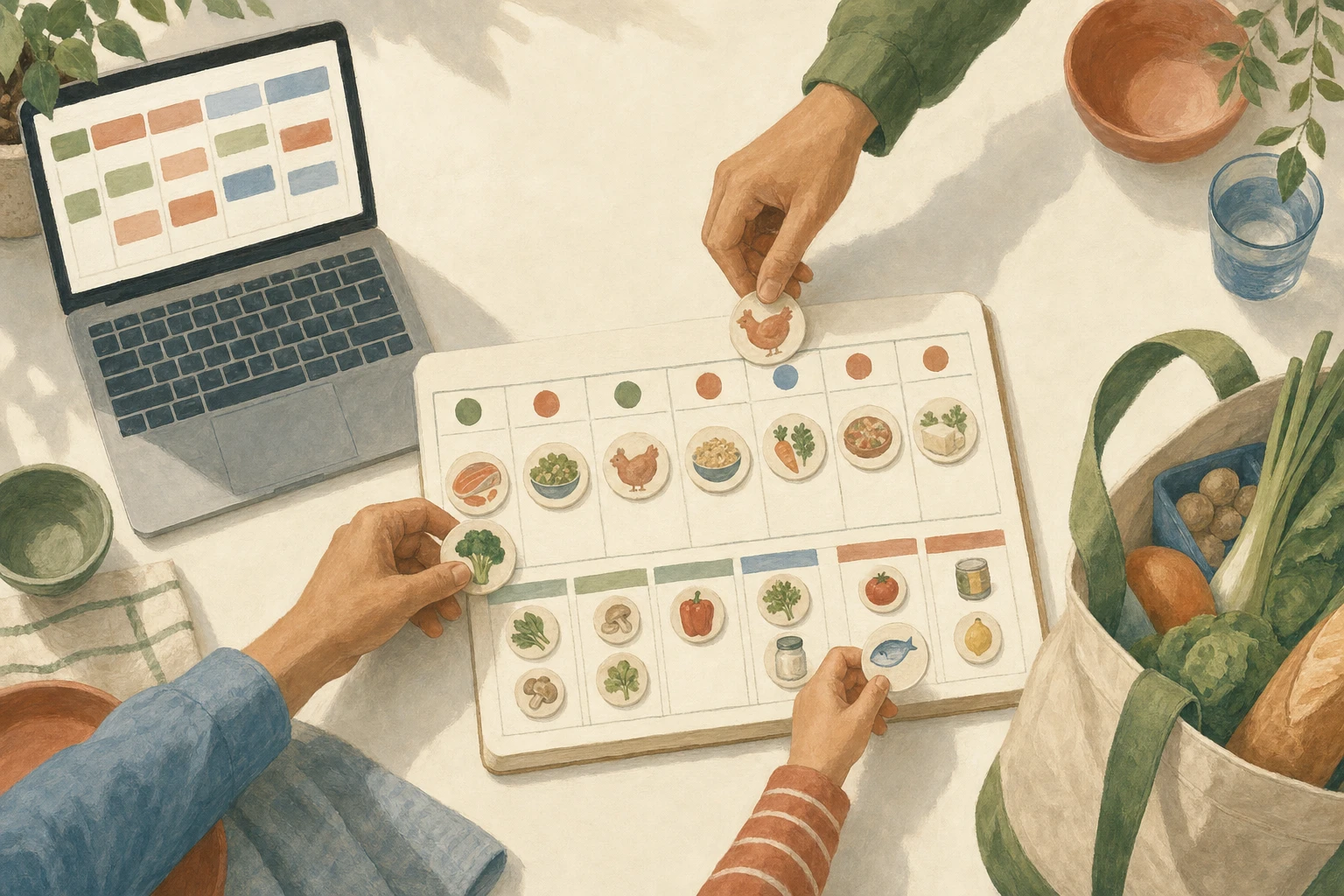
A useful meal plan can survive a wrong prediction. You can revise it on Wednesday without rebuilding the grocery list from scratch.
This free meal planning template with grocery list keeps the connection between each night, its dinner, its fallback, and the groceries bought for it. Choose the nights first, plan food that fits them, and shop only for the gaps between those meals and what you already have. When a dinner moves, the sheet shows what else moves with it.
Use the workbook in Excel or import it into Google Sheets when several people plan or shop. Use the fillable PDF when one visible week is enough. You don't need an account for either file.
Download the meal planning template with grocery list
The workbook has two tabs. Week + Groceries holds the seven-night plan and a store-section shopping list. Meal Bank keeps dinners your family would willingly repeat, so next week's plan doesn't begin with an empty cell and a demand for inspiration.
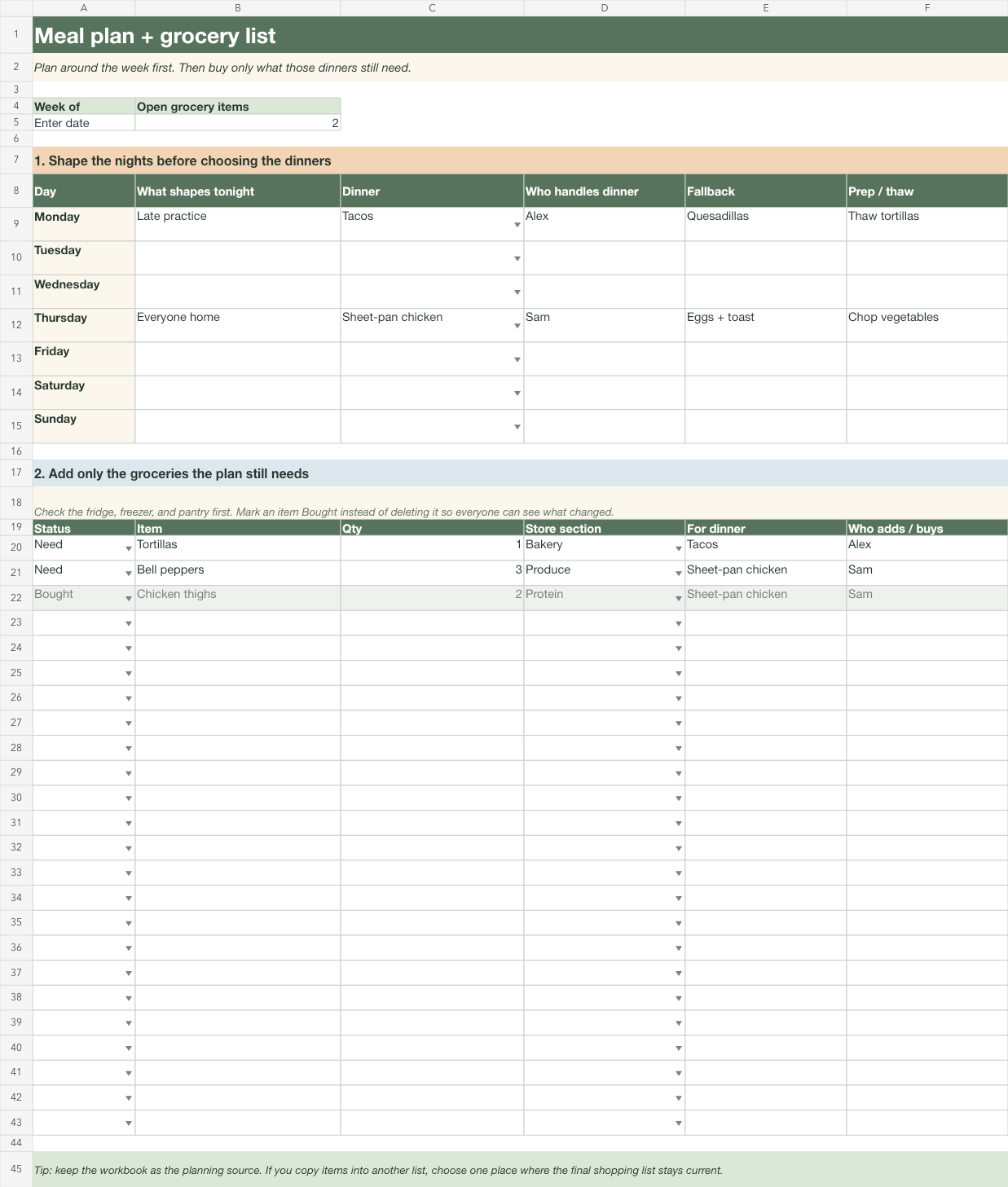
Download the meal planning template with grocery list for Excel or Google Sheets (.xlsx)
The PDF puts the same planning sequence on one landscape page. Its meal-plan and grocery boxes are fillable on a computer, and they stay blank and usable when you print the page for the fridge.
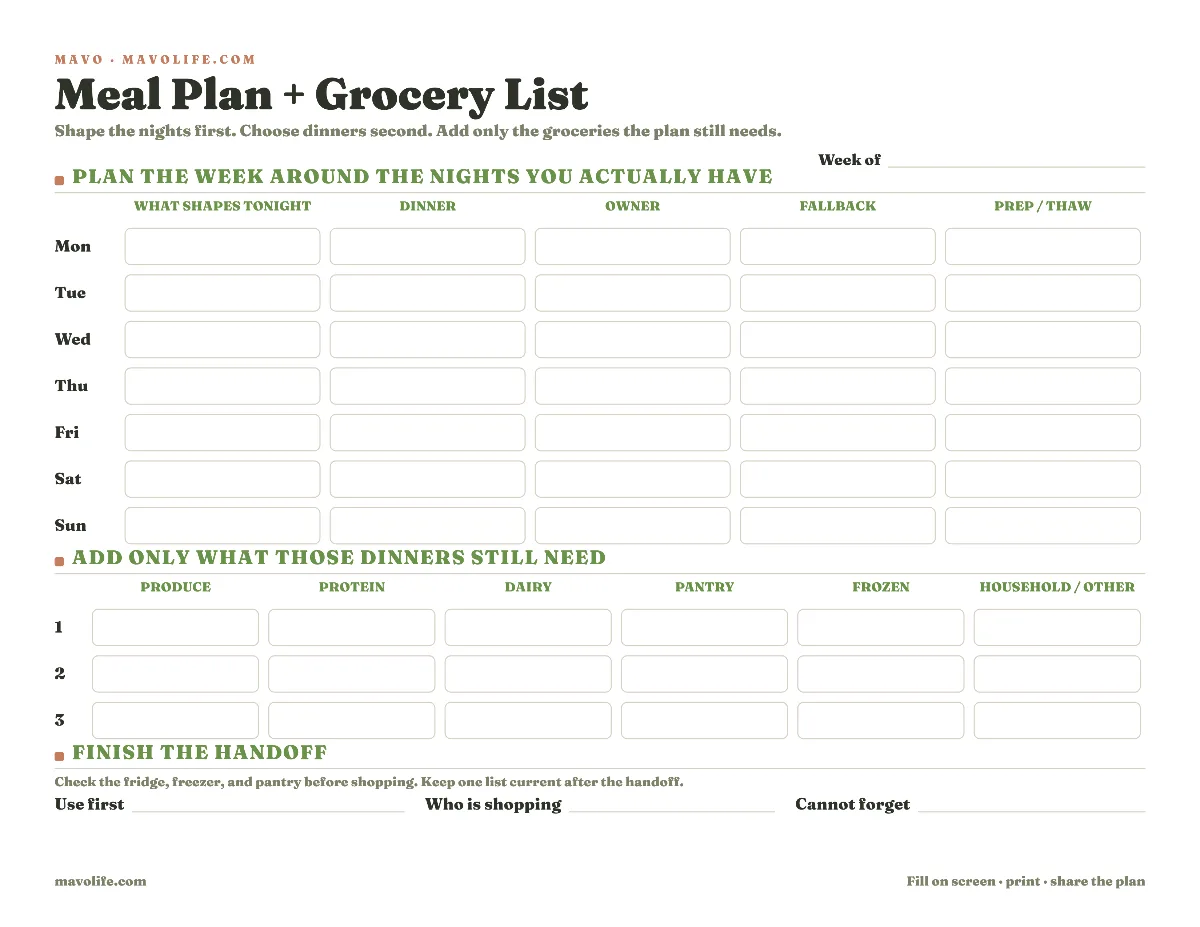
Download the fillable meal plan and grocery list (PDF)

Pick the format based on how often the plan changes and where people will check it:
| Use | Best when | What it gives you |
|---|---|---|
| Excel or Google Sheets workbook | More than one person plans or shops, or dinners move during the week | Reusable meal bank, dinner dropdowns, shopping status, and owners |
| Fillable PDF | You want one week on one screen or sheet of paper | A quick plan with no setup and fields you can revise |
| Printed PDF | The fridge is the shared surface everyone already checks | One visible copy that anyone can mark |
Plan the nights before you choose the meals
Start with Day and What shapes tonight. Add the fact that will still be true when dinner arrives: late practice, two pickup waves, one parent away, everybody home, or very little time to cook. This keeps a quiet Sunday from lending every weeknight more capacity than it has.
Then complete the row:
- Dinner: Choose food that fits the night. A meal you enjoy but can't start until everyone is already hungry belongs on another row.
- Who handles dinner: Name the person who starts, picks up, reheats, or serves it. That person can change later; the point is to make the change visible.
- Fallback: Write what replaces the meal if the schedule slips or an ingredient is unusable. Eggs and toast counts. So does moving a freezer meal forward.
- Prep or thaw: Record the earlier action the dinner depends on. If nobody can do that action, revise the dinner now rather than discovering the dependency later.
The fallback is the shortest acceptable route from the changed night to dinner, not a second elaborate meal. A good fallback uses food you reliably keep, doesn't require much preparation, and can't create a second shopping plan.
If you can't open a file right now, copy this checklist into a note. It stands on its own.
Meal plan + grocery list, week of __________
- Monday: constraint ______ · dinner ______ · owner ______ · fallback ______ · prep ______
- Tuesday: constraint ______ · dinner ______ · owner ______ · fallback ______ · prep ______
- Wednesday: constraint ______ · dinner ______ · owner ______ · fallback ______ · prep ______
- Thursday: constraint ______ · dinner ______ · owner ______ · fallback ______ · prep ______
- Friday: constraint ______ · dinner ______ · owner ______ · fallback ______ · prep ______
- Saturday: constraint ______ · dinner ______ · owner ______ · fallback ______ · prep ______
- Sunday: constraint ______ · dinner ______ · owner ______ · fallback ______ · prep ______
- Produce still needed: ______________________________
- Protein still needed: ______________________________
- Dairy still needed: ________________________________
- Pantry still needed: _______________________________
- Frozen still needed: _______________________________
- Household / other: _________________________________
- Use first: __________ · Shopping: __________ · Cannot forget: __________
If choosing dinners is the slow part, fill the second tab with existing favorites. A short dinner rotation turns planning into selection from meals you already trust. If activities repeatedly break the plan, the schedule-first weeknight dinner method goes further on matching dinner to the night that can hold it. You can also browse the meal-planning guides for nearby rotation, freezer, and lunchbox jobs.
Mavo can keep meals, family lists, and calendar commitments in one family plan. Grocery items can be updated and dinner-related tasks can have clear owners. Mavo doesn't automatically turn recipes into a shopping list, so your family still decides what to buy and updates the list when dinner changes. Start a free family plan, or use either download by itself.
Build the grocery list from the gaps
Build the list by walking the dinner rows one at a time. Check the fridge, freezer, and pantry before you add anything. Ask what this taco night still needs. If the tortillas and beans are already there, only the missing ingredients belong on the list, and you'll avoid shopping for the generic version of the meal.
If your cupboard is hard to scan, take a dated shelf-by-shelf count with the free pantry inventory printable before deciding what belongs on this week's grocery list.
For every grocery item, add the quantity, store section, dinner, and person handling it. For dinner is the field that preserves the plan when it changes. If Thursday's dinner moves to next week, you can see which items are no longer needed for this trip. If Tuesday and Thursday both use the same ingredient, you can keep it instead of removing it with one meal.
Use Need while an item is open and Bought when someone has it. Don't delete bought items during the week. Leaving them visible prevents a second shopper from buying the same thing and lets the open count continue to show what remains.
When a meal changes, revise in this order:
- Replace or move the dinner on the weekly row.
- Check whether its prep action and owner still apply.
- Mark the fallback as the new dinner if that is what the family is actually using.
- Review every grocery item linked to the old dinner. Keep shared staples, defer ingredients that will last, and remove only what is no longer needed.
That four-step revision is faster than scanning an unconnected list and trying to remember why each item was added.
This weekly list is built from planned dinners. A running household list solves another problem: capturing milk, paper towels, or toothpaste when someone notices the shortage. If that list keeps going stale, use the shared grocery list system beside this template and choose one final place where the current shopping list lives.
Import the workbook into Google Sheets
The download is an .xlsx file, so there is no access request or locked template copy. Save it,
open Google Sheets, and use File > Import > Upload. Choose Create new spreadsheet for a clean
copy or Insert new sheet(s) to add it to an existing family workbook. Google's official Excel
import instructions describe the same choices.
After import, rename the file and share it with the people who plan or shop. You'll find that the dinner dropdown pulls from Meal Bank. Add your meals there, then select them on the weekly tab instead of typing new variations. Status and store-section dropdowns keep small updates consistent.
Check the three dropdowns before sharing. If Google changes one during import, select Dinner cells
C9:C15, Status cells A20:A43, or Store section cells D20:D43, then use Data > Data
validation to restore the choices in the workbook.
If you stay in Excel, open the download directly. Save a fresh weekly copy, or reuse one file and clear the weekly entries after shopping. Keep the meal bank either way.
Adjust the template to the family you have
One child with a predictable week may need only dinner, owner, and fallback. Several children with overlapping activities will get more value from the constraint and prep fields, because those expose the collision before the ingredients are bought.
Across two households, use the dinner owner to name the household or adult responsible that night. Keep the grocery list with the person making that shopping trip instead of maintaining two supposedly identical copies. If a child changes homes midweek, For dinner shows which groceries belong with which nights. A row such as "At Lee's house / pasta / Lee / freezer pizza / move sauce Tuesday" carries the revision better than "pasta" alone.
During a travel week, don't fill every row for completeness. Mark the solo nights, choose easier dinners, and make the fallback especially plain. If a night has too many constraints, planning takeout or leftovers is more useful than placing an ambitious meal there and pretending the row is finished.
You will revise this plan. That isn't evidence the plan failed. The workbook earns its place when a changed dinner produces three quick decisions: what everyone will eat instead, which groceries still belong on this trip, and what can wait for another week.