Free visual schedule maker

Make a schedule your kid can see.

Some kids do best when the routine is pictures on the wall instead of a voice repeating instructions. Pick the part of the day, choose a picture card for each step, and print. Made for toddlers, preschoolers, and any kid who likes to know exactly what comes next. Free, no account.

Make your visual schedule

Which part of the day?
Theme
Put the steps in order

Tap a picture to add it to the schedule. Keep it short: three to six steps is plenty for most kids.

  1. 1
  2. 2
  3. 3
  4. 4
  5. 5
  6. 6

Morning

Anytime

Our morning routine

One step at a time.

  1. 1Wake up
  2. 2Potty
  3. 3Get dressed
  4. 4Breakfast
  5. 5Brush teeth
  6. 6Pack backpack
Made with Mavomavolife.com/tools

After you print

Print the routine and put it where your kid can reach it.

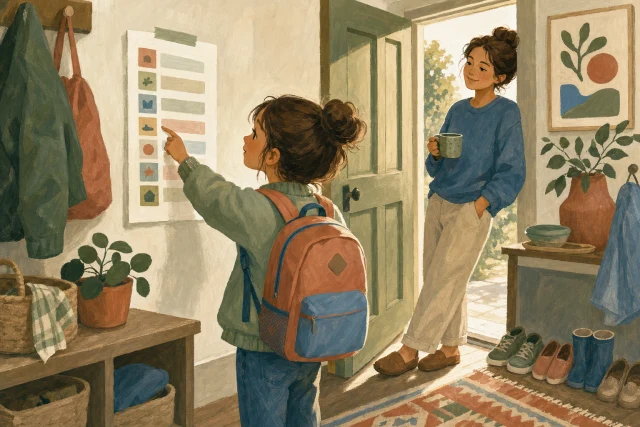
Leo follows the picture cards on the wall. He does not need a phone or an account. The next step stays within reach.

Build and print as many routines as your family needs. If the school email and pickup plan are the parts that keep changing, Mavo gives the grown-ups a shared family calendar everyone in the household can see.

Leo keeps the cards within reach while Dana and Sam check the parts of the day that move.

Make your own visual schedule

Build a picture routine for your morning.

Start with the part of the day that needs the most pointing and repeating. Keep the first version short enough that your kid can see the whole path at once.

  1. 1

    Pick one part of the day

    Choose morning, after school, or bedtime. A short routine is easier to place where it happens and easier to practice together.

  2. 2

    Keep the first version to 3 to 6 cards

    Give each card one action: get dressed, eat breakfast, brush teeth, pack backpack. Add another card only when the current sequence is clear.

  3. 3

    Use the words your family uses

    Rename any card to match your house. Write book bag if that is what your kid hears, or split get ready into the smaller steps they can finish.

  4. 4

    Put it where the routine happens

    Hang the schedule at kid height. Leave it whole, or cut the cards apart and use a clothespin, pocket, or reusable dot to mark the current step.

Visual schedule examples

Start with a routine that is close, then make it yours.

Load one of these picture schedules into the free maker. Change the words and order. Remove anything your family does differently.

Example 1

The school morning, six cards

The out-the-door sequence in the order most households run it. A pre-reader can follow the pictures alone by week two.

  • Covers wake up through packing the backpack
  • One card per action, nothing to interpret
  • Rename any card into your family’s words

Example 2

A wind-down bedtime

Five steps that end in the same place every night. The order never changes, which is what makes it calming on the loud nights.

  • Bath to lights out with no detours
  • Ends with hugs, so the last card is a good one
  • Works for a sitter or grandparent as written

Example 3

The after-school reset

Snack first, then the backpack, then homework, and screens come last. Putting the order on the wall settles the daily negotiation.

  • Puts screens after homework, in writing
  • A calm break card for kids who need one
  • Five cards, so it survives real afternoons

Making the schedule stick

Practice the routine together for the first few days.

Stand beside the schedule, point to each picture, and return to the wall after every step. It starts helping once your kid checks it between steps.

Painted illustration of a girl with a backpack touching her picture schedule on the wall by the front door while a parent watches with coffee
  1. First 3 days

    Walk every card together

    Stand at the schedule, point to the first picture, do that step, then return to move the marker. Repeat until the strip is finished. The return to the wall is part of what you are teaching.

    Say: β€œWhat picture is next?”

  2. When one card is too big

    Split the action

    If get dressed keeps stopping halfway, replace it with clothes on and socks and shoes. A card should name one step your kid can recognize as finished.

    If one card stalls, split that step before changing the rest.

  3. As the routine clicks

    Let your kid move the marker

    Point back to the schedule instead of repeating the next instruction. Let your kid flip the card or move the clothespin, even when doing it yourself would be faster.

    Keep the wall within reach.

  4. When life changes

    Keep the familiar parts steady

    Edit and reprint when school starts, bedtime shifts, or a step no longer belongs. Keep the cards that still match, so a small change does not become a completely new sequence.

    The maker keeps this schedule in this browser.

For cut-apart school-day cards, read the school morning checklist

Who visual schedules are for

Try pictures when a spoken list gets lost.

The format is simple: one visible action at a time. The right number of cards and the right amount of grown-up help depend on the kid in front of you.

Toddlers and preschoolers

A pre-reader can match a picture to the next familiar action. Start with a short strip, such as bath, pajamas, story, and goodnight, and walk it together.

Autistic kids who prefer a visible sequence

The same cards stay in the same order and do not depend on a grown-up remembering every prompt. Let your kid help choose the words and pictures that make sense to them.

Kids with ADHD who lose the middle of a spoken list

The wall keeps the next action visible after the instruction has been said. Use the cards as a practical routine aid, not as a treatment or a promise about behavior.

Families with more than one grown-up or more than one home

A sitter, grandparent, or co-parent can follow the same bedtime order from the same printed set. Print another copy when the routine needs to travel between homes.

Visual schedule options

Choose the cards first. Then decide what the grown-ups need around them.

All three can be the right choice. Pick based on what your kid needs on the wall and what the grown-ups need when the rest of the day changes.

What the kid follows

Hand-drawn cards
Your drawings on the wall.
Free visual schedule maker
Printed picture cards.
Mavo for the changing day
Keep using the printed picture cards.

Make it fit your house

Hand-drawn cards
Draw and letter every card.
Free visual schedule maker
Choose, rename, and reorder the cards.
Mavo for the changing day
Keep the printed set that already fits.

When the routine itself changes

Hand-drawn cards
Draw or replace a card.
Free visual schedule maker
Edit and reprint.
Mavo for the changing day
Edit and reprint the kid-facing cards.

When the rest of the day changes

Hand-drawn cards
Update whoever needs to know.
Free visual schedule maker
The printable stays on the wall.
Mavo for the changing day
A shared family calendar everyone in the household can see.

Who is handling pickup or practice

Hand-drawn cards
Write a name somewhere else.
Free visual schedule maker
Write a name somewhere else.
Mavo for the changing day
Assign who's handling each event or task.

Reminders for a watched event

Hand-drawn cards
No
Free visual schedule maker
No
Mavo for the changing day
Get reminders and notifications for the things you ask Mavo to watch.

Kitchen screen

Hand-drawn cards
No
Free visual schedule maker
The printable can hang nearby.
Mavo for the changing day
Open an always-on Family Display for a kitchen tablet or shared screen.

Morning or weekly look ahead

Hand-drawn cards
No
Free visual schedule maker
No
Mavo for the changing day
Every family can schedule Daily prep for a daily or weekly look at what is coming up and who is handling it.

Mavo gives the grown-ups one place for the changing calendar and its reminders, with a name on each event.

Visual schedule FAQ

Common questions about picture routines.

What is a visual schedule?

A visual schedule shows a routine as pictures in order, one card per step. A kid can look at the wall to find the next action instead of holding a whole spoken list in mind.

Who are visual schedules for?

They can be useful for any kid who prefers seeing a sequence to hearing several instructions at once. Families often use them with pre-readers, autistic kids, and kids with ADHD. The cards are a routine aid, not medical treatment, and every label can be changed to fit the kid using it.

How many pictures should a visual schedule have?

Start with 3 to 6 pictures for one part of the day. If the routine is longer, make two short schedules, such as before breakfast and after breakfast, so the whole path is still easy to scan.

What order should a morning visual schedule use?

Use the order your house already follows. A common version is potty, get dressed, breakfast, brush teeth, shoes, and backpack. If breakfast comes first in your house, move that card first. Consistency matters more than copying someone else's sequence.

Do visual schedules help autistic kids or kids with ADHD?

Some autistic kids and kids with ADHD prefer a visible sequence because the next action stays in view after the grown-up stops talking. That makes the cards worth trying as a practical support. They do not treat autism or ADHD, and they do not replace advice from a professional who knows your child.

How do I teach my kid to use a visual schedule?

Walk the first rounds together. Point to one card, do that step, return to the wall, and let your kid move the marker. As the pattern becomes familiar, point back to the schedule instead of supplying the next instruction.

When should I change or remove a visual schedule?

Change a card when it no longer matches the real routine or when one action is too broad. Remove the schedule when your kid no longer looks for it and the sequence is familiar without it. Keep a copy if it is still useful after travel, a school break, or a change in caregivers.

Is this visual schedule maker free?

Yes. You can build, edit, print, or save the picture schedule as a PDF without an account or an email address. The current schedule also stays saved in this browser so you can return and adjust it.

Can I make picture cards that cut apart?

Yes. Each step prints inside its own bordered card. Cut the cards apart, laminate them if you want, and use a clothespin, pocket, or reusable dot to show the current step. You can also leave the page whole.

Should my kid use the schedule on a phone or tablet?

The maker works on a phone or tablet, but the kid-facing result is designed to print and stay where the routine happens. Mavo also has an always-on Family Display for a kitchen tablet or shared screen. It shows the family's changing day while the kid keeps using the printed cards.
Keep going

More help for the handoffs around the routine.

See all free printables

For the grown-ups

Dana and Sam can check Leo's changing day in Mavo.

They can see Leo's next event, any schedule changes, and the grown-up handling each one.

One readable day

Put pickup and practice next to the routine.

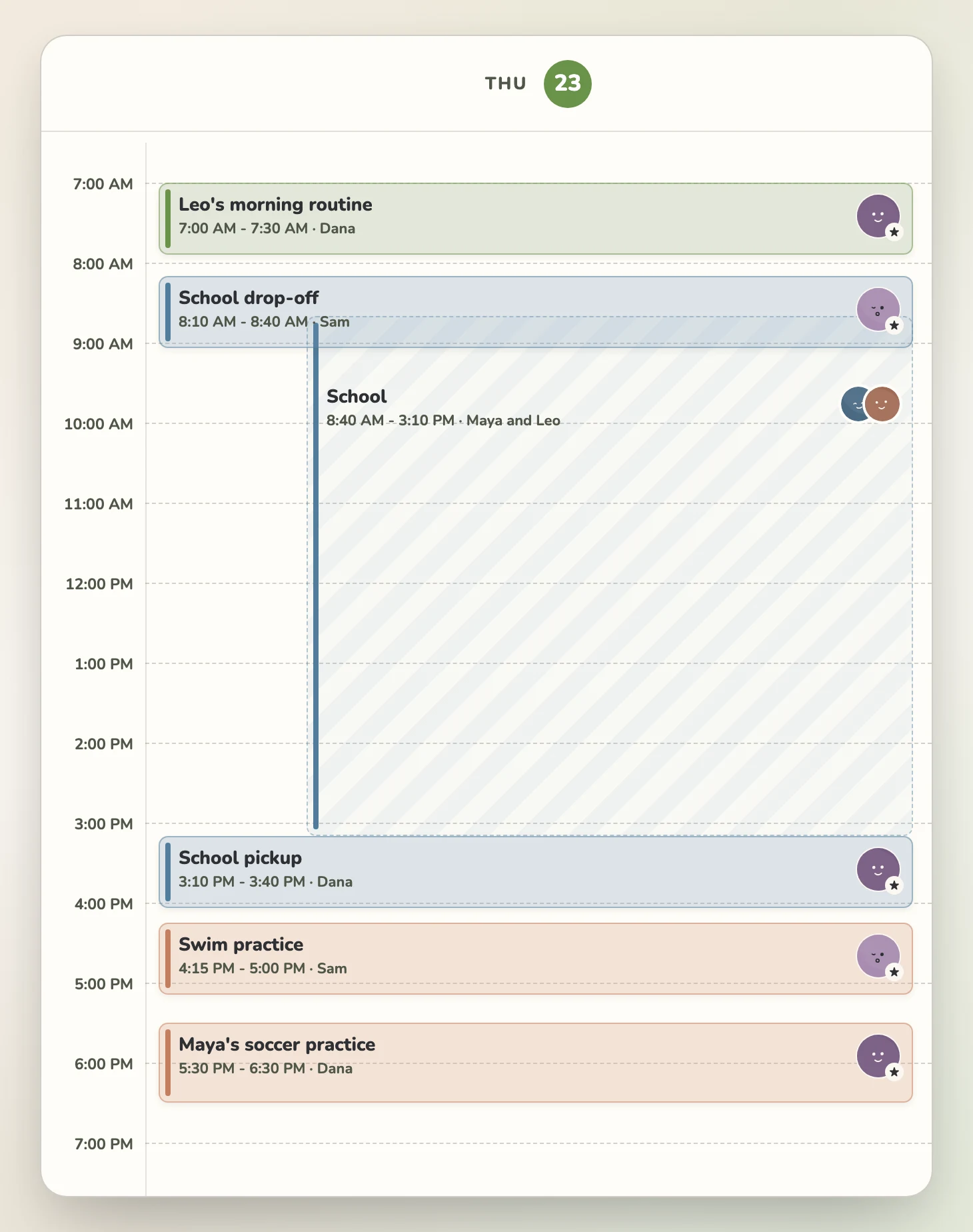
Mavo gives everyone in the Harper household the same shared family calendar. Events can carry an owner, reminders, and covered status, so school drop-off, pickup, and swim practice have a name attached. Dana can filter by person when she needs to see only Leo's plans.

A single-day Mavo calendar for Thursday, July 23, showing Leo's morning routine, school drop-off, the school day for Maya and Leo, school pickup, swim practice, and Maya's soccer practice with Dana or Sam named on each event
One day gets the full width. The event title and responsible grown-up stay readable beside the time.

When Thursday changes

The school email should not become another thing to remember.

Forward an email, paste text, share a link, or upload a file, and Mavo turns it into plan items. If swim practice moves, forward the change and Mavo drafts the event update for you to approve. It can change one occurrence of a repeating event without changing the full series.

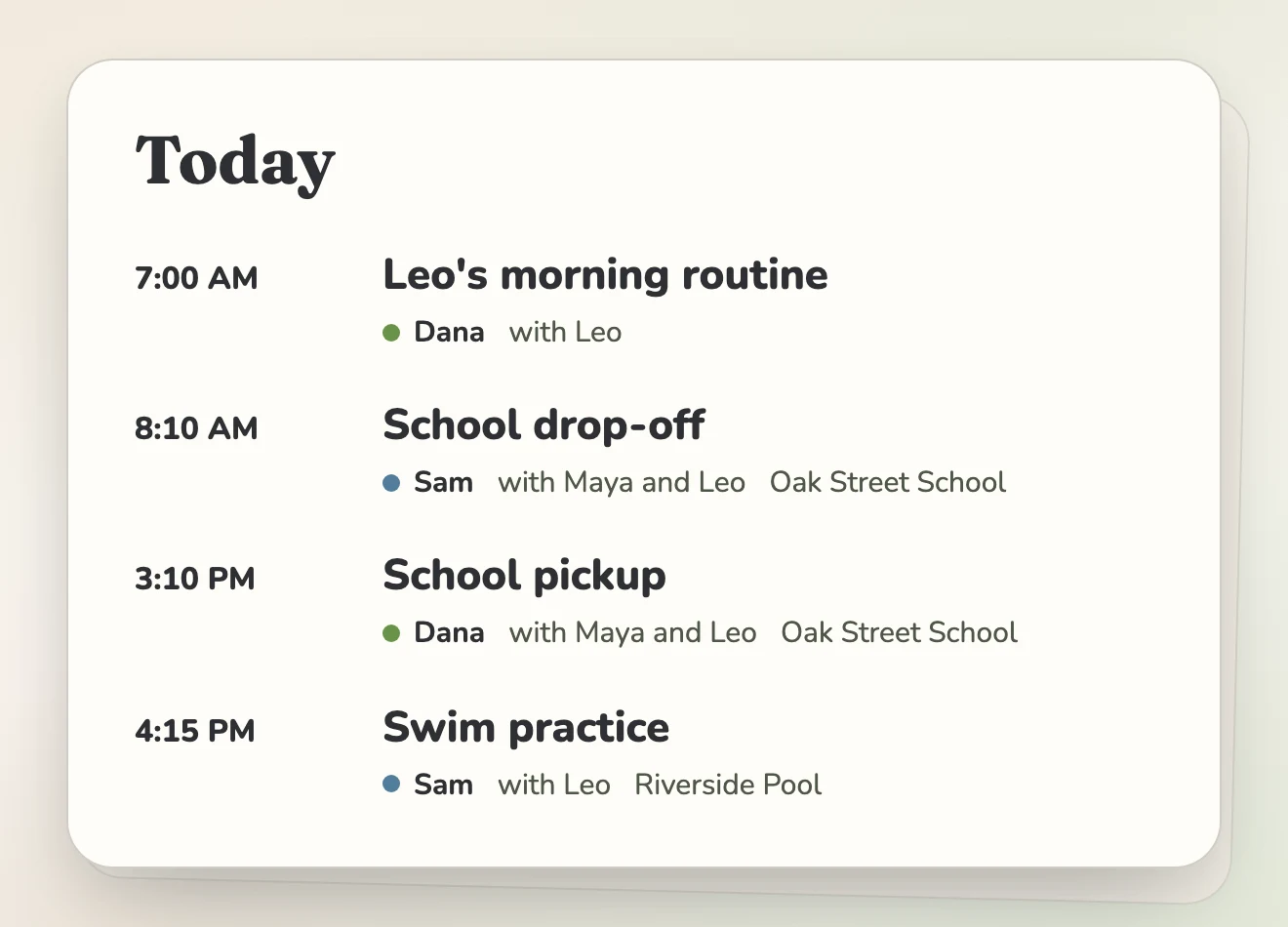
A Mavo Today card listing Leo's morning routine, school drop-off, school pickup, and swim practice with Dana or Sam named on each event
The approved change lands in the same day the family already sees.

The kitchen view

Give the grown-ups a screen they can glance at from across the room.

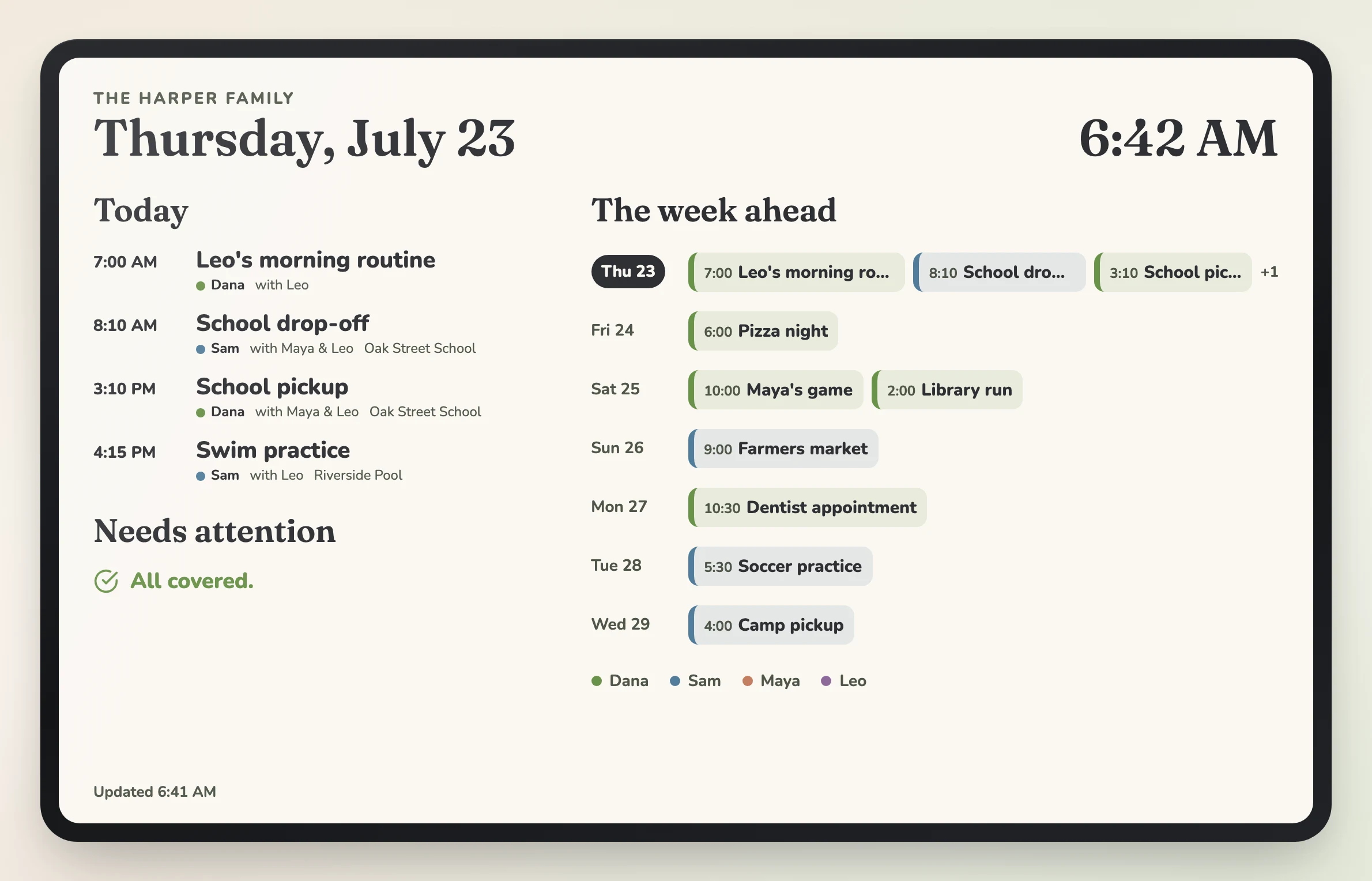
Open an always-on Family Display for a kitchen tablet or shared screen. It shows the Harper family's Today list, what still needs attention, and the rolling week in readable rows.

The Harper household Family Display showing Thursday, July 23, with today's events and responsible adults on the left and the next seven days in horizontal rows on the right
The Family Display uses rows for the week, so event names keep enough room to read.

The day after the printout

Dana and Sam can check the changing parts in Mavo.

When pickup moves or swim practice changes, Dana and Sam can see the update and the grown-up handling it.

One view in the kitchen

The Family Display keeps today's plan and the week ahead visible on a shared screen.

A heads-up before the handoff

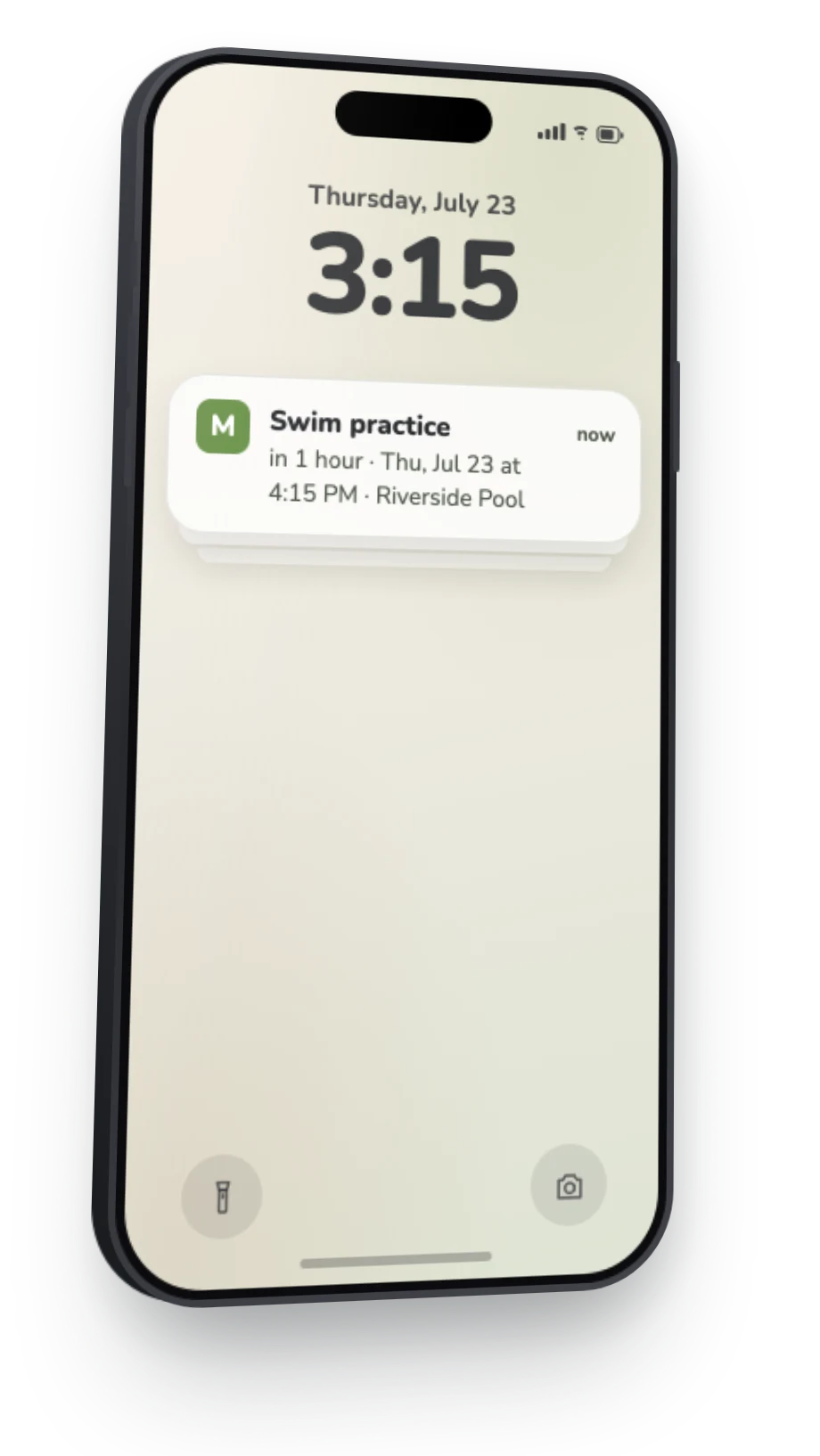
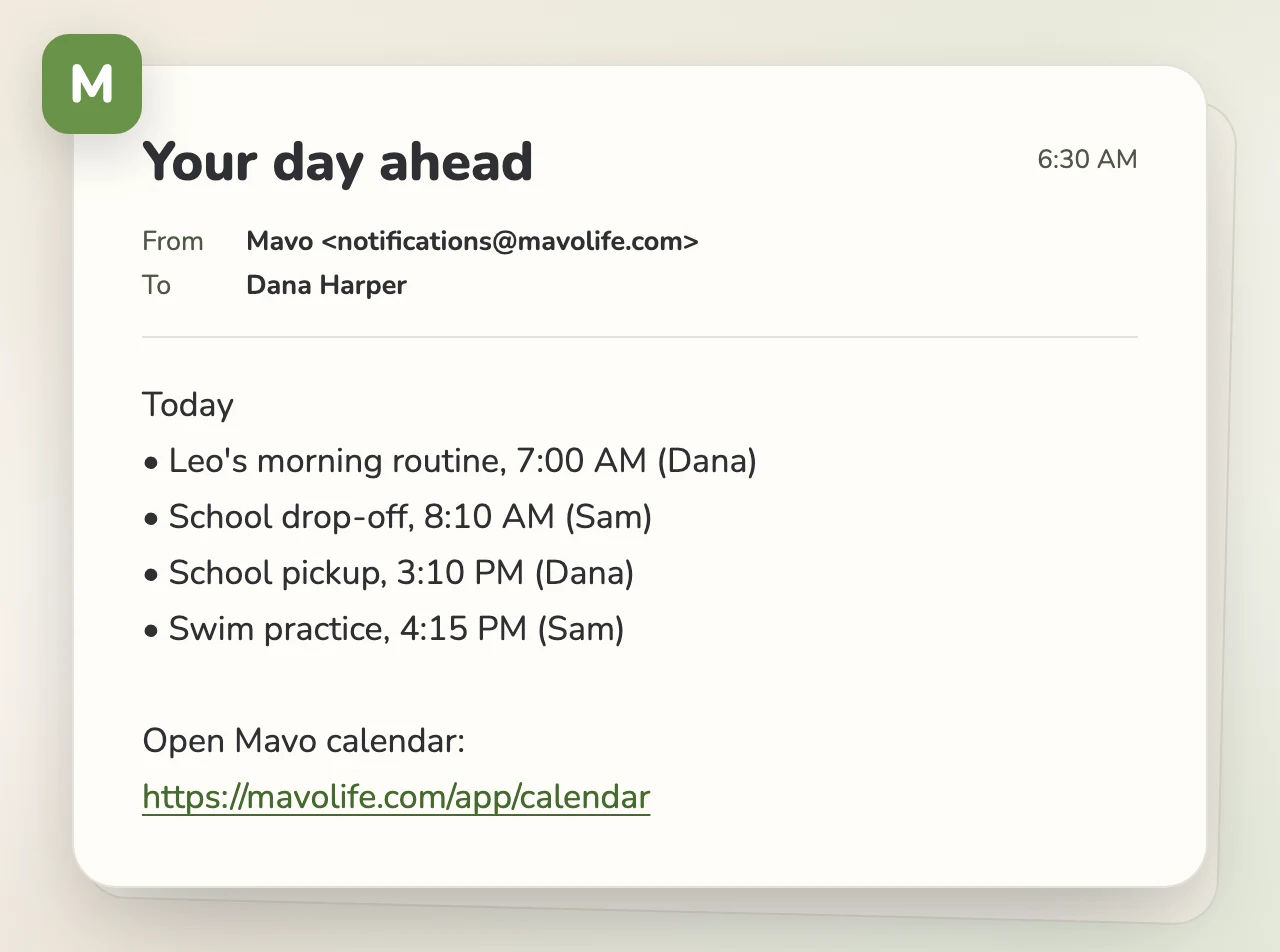
Daily prep and reminders show what is coming up and who is handling it before the routine changes.