Who's Handling It
Put a name on pickup before 4:45.
Give each event or task a clear handling decision. Calendar events can name everyone sharing responsibility. Covered shows what is handled, while Needs Attention surfaces what still needs a person or a decision.
- Assign who's handling each event or task.
- Save No one needed when there is no handoff.
- See Covered status and what still Needs Attention.
Friday carpool
Put a name on the ride home and the family can see that it is covered.
The handoffs that need a name
- Ride home from practiceFri · 6:45 PM · Riverside FieldsNeeds attention
- Dentist appointmentFri · 4:00 PM · Northside DentalDana
- Soccer practiceSat · 9:00 AM · Riverside FieldsSam
From assumption to answer
Name who has it, keep the answer current, and check what is left.
The family can share responsibility once everyone can see where it landed.
Name who is responsible
Assign who's handling each event or task. If Dana and Sam are sharing a calendar event, name both so each person can answer for their part.
Change the people when the plan changes
Update responsibility on the event itself. If nobody needs to handle it, save No one needed so it stays settled without inventing an assignment.
Check the gaps
Covered status shows what is handled, while Needs Attention keeps the remaining loose ends visible at a glance.
Thursday pickup
The calendar can answer who has it.
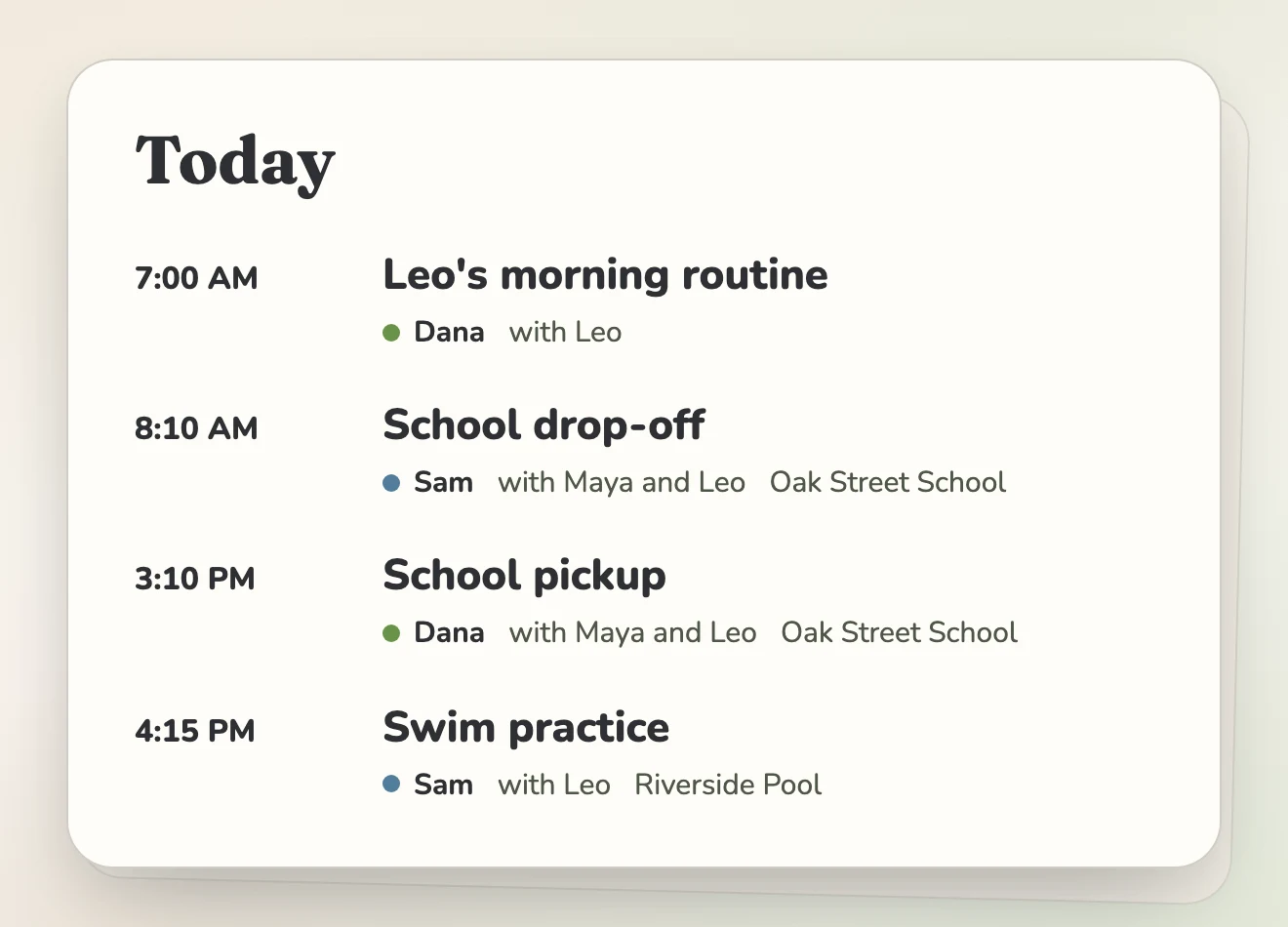
Put Sam on the 3:10 pickup and it shows Covered. If Dana is helping too, add Dana without removing Sam. Each person can accept or pass their own assignment, and the family sees the current answer on the event instead of sorting through the group chat.
The same name can appear in Family Game Plan, so the day’s short list includes who is handling each pickup, appointment, and practice.
- Put one or more responsible people on a calendar event.
- Change the responsible people when a handoff happens.
The regular stuff
A repeating responsibility does not need a new decision every week.
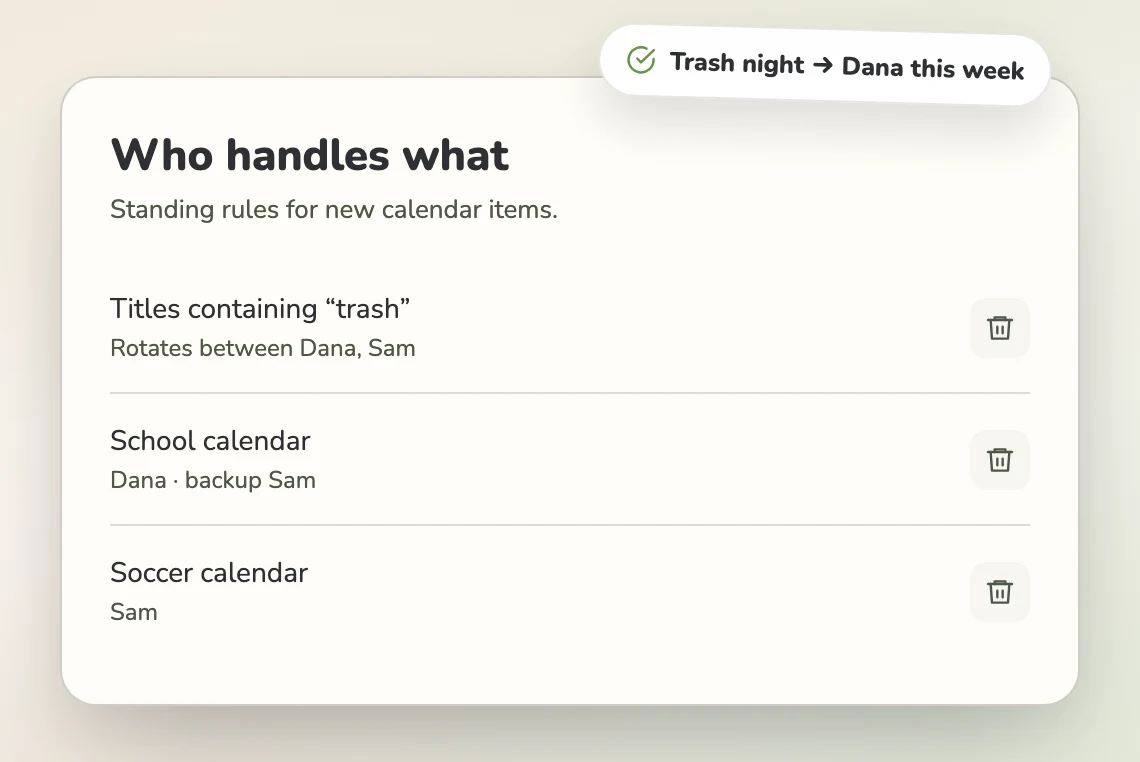
Set who usually handles events from a calendar, take turns, and choose a backup when someone passes. Trash night can rotate while school events go to the person who usually handles them.
When the same assignment keeps happening, Mavo can suggest a handling rule so the family can decide whether to make it the usual pattern. See pricing for handling-rule availability.
What changes at home
Responsibility becomes something the family can see.
Check the plan instead of checking in
The responsible people sit beside the event, so either parent can see who has pickup without starting another conversation.
Keep unclaimed things visible
An event or task without an owner shows in Needs Attention until someone takes it.
Keep the usual split in place
Handling rules can use the usual person, rotate matching events, or name the next person after a pass.
Questions
A few questions about owners and handoffs.
What does Covered mean?
An event or task with an owner is Covered. Without an owner, it shows in Needs Attention until someone takes it.
Can two people own one event?
Yes. A calendar event can have multiple responsible people, and each person can accept or pass their own assignment. A backup is still the handoff target after a pass, not another current owner.
Can regular events rotate between people?
Yes. Handling rules can set the usual person for events from a calendar, take turns, and name a backup. See pricing for availability.
Will Mavo alert us when an event loses its owner?
Mavo can alert the family when an event loses its owner and tell whoever something is handed to. Coverage follow-ups can also re-ask an unconfirmed owner without sending a daily nag. See pricing for coverage alert availability.
Keep looking
More ways Mavo helps.
A clear answer
Put the name beside the plan.
Start with the pickups, practices, and appointments that usually trigger a last-minute text. Name everyone responsible, then let Covered and Needs Attention show the family where things stand.