Trips & packing · September 7, 2026 · 5 min read
All-Inclusive Resort Packing List for Families
Start with resort-stay belongings, then edit a free packing spreadsheet with each traveler's items, resort confirmations, packed state, and bag location.
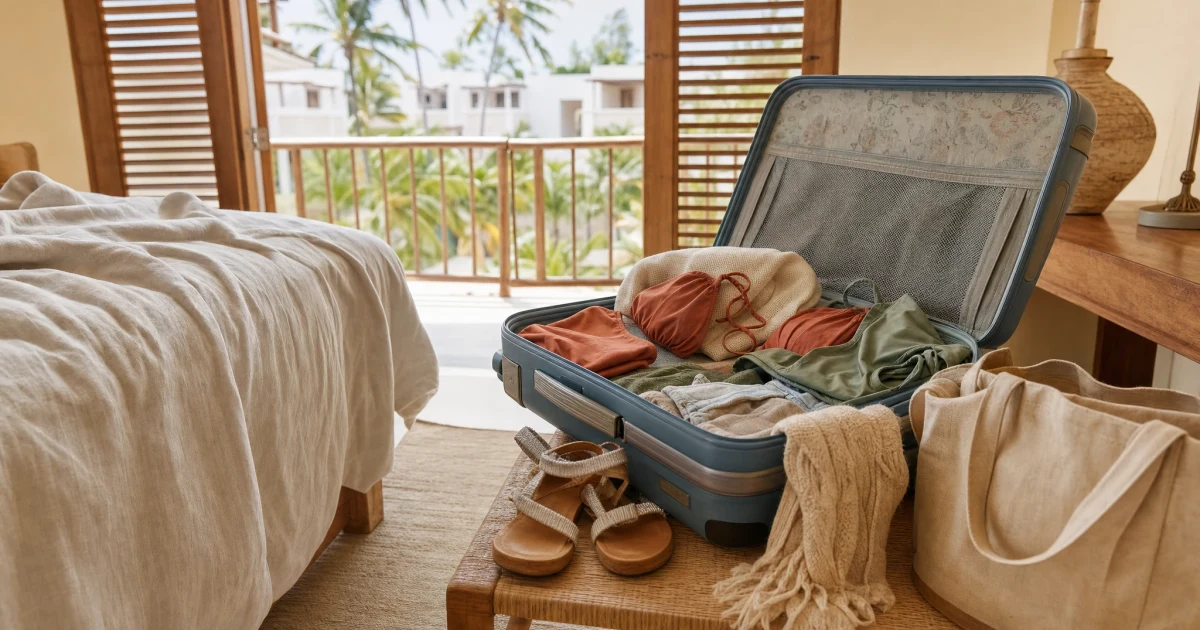
An all-inclusive resort packing list starts with the belongings you'll use during the stay: swimwear, everyday clothes, something you've chosen for dinner, toiletries, and a few things for downtime. Then check the items you might otherwise pack twice, such as a towel or a bottle of shampoo, against what your particular resort has confirmed.
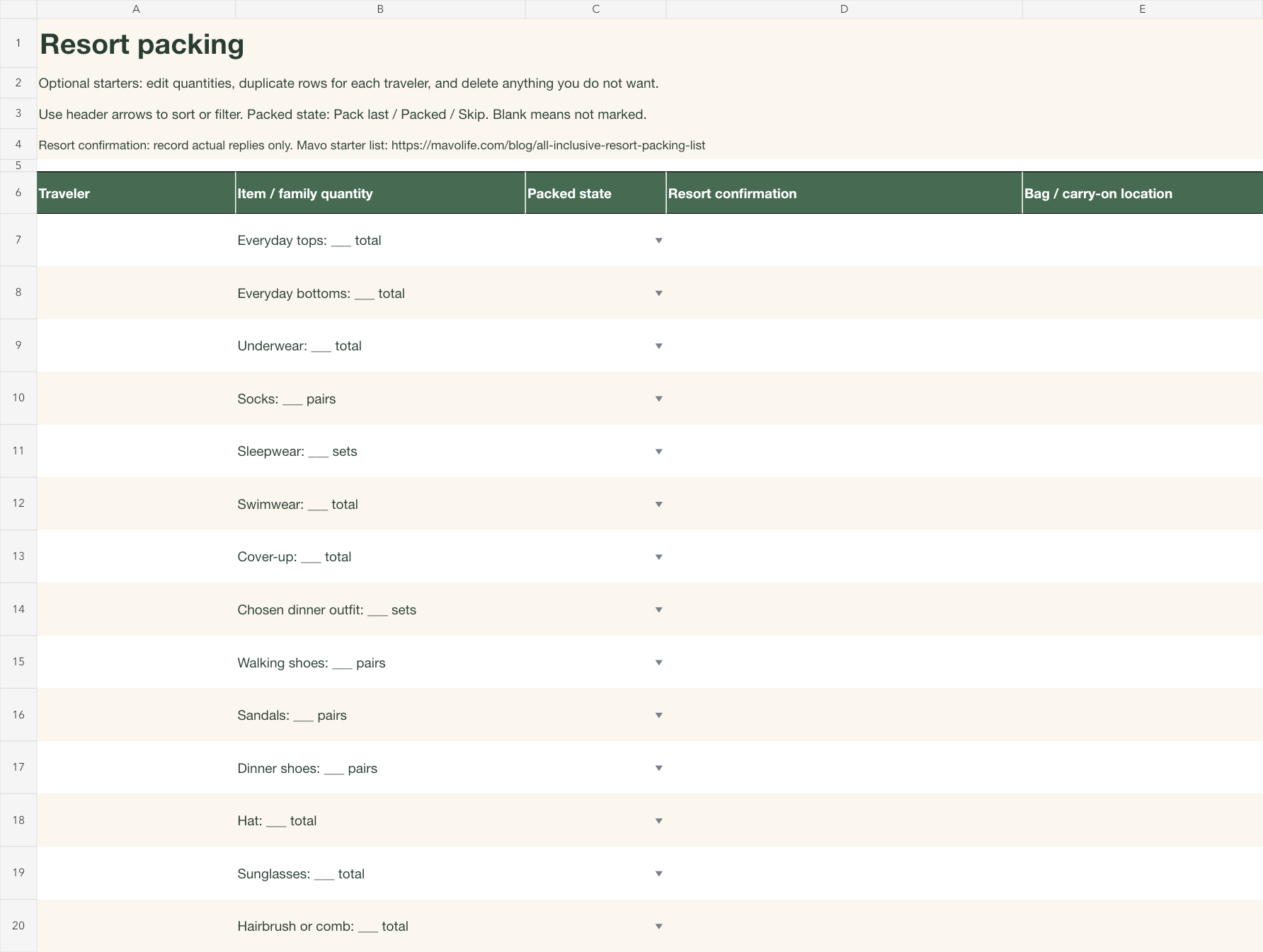
The free spreadsheet below starts with 28 editable items. Keep the ones you want, enter your own quantities, and record the resort's answer beside anything you're considering leaving at home. This covers personal belongings and packing choices; travel documents, health needs, and destination requirements need their own checks.
Download the editable resort packing list (Excel .xlsx)
No email or Mavo account is needed. The file has one sheet with filters for each traveler and packing state. It doesn't contain resort-specific answers or prescribed quantities.
Clothes for the stay
Think through the clothes you'd like to wear from getting dressed in the room to changing for dinner. You may reuse an outfit, prefer a fresh one, or have different plans each day. Write quantities that reflect those choices instead of copying someone else's seven-day formula.
Everyday tops and bottoms. Choose combinations you would wear together. A top that only goes with trousers you're leaving behind doesn't help.
Underwear and socks. Enter a quantity for each traveler, including the socks that go with the shoes they've chosen.
Sleepwear. Add the familiar set you want in the room.
Swimwear and a cover-up. Name the pieces you want together, including the cover-up you'll wear back to the room.
A chosen dinner outfit. Name the actual outfit so you can pack its pieces together. Check restaurant requirements directly before choosing.
Walking shoes, sandals, and dinner shoes. Delete overlapping rows if the same pair serves more than one purpose.
A hat and sunglasses. Keep whichever accessories you plan to wear.
For a family, duplicate the rows you need and put a name beside each copy. For example, Swimwear: 2 for one traveler and Swimwear: 1 for another is clearer than a household total of three with no names.
Toiletries and things for the room
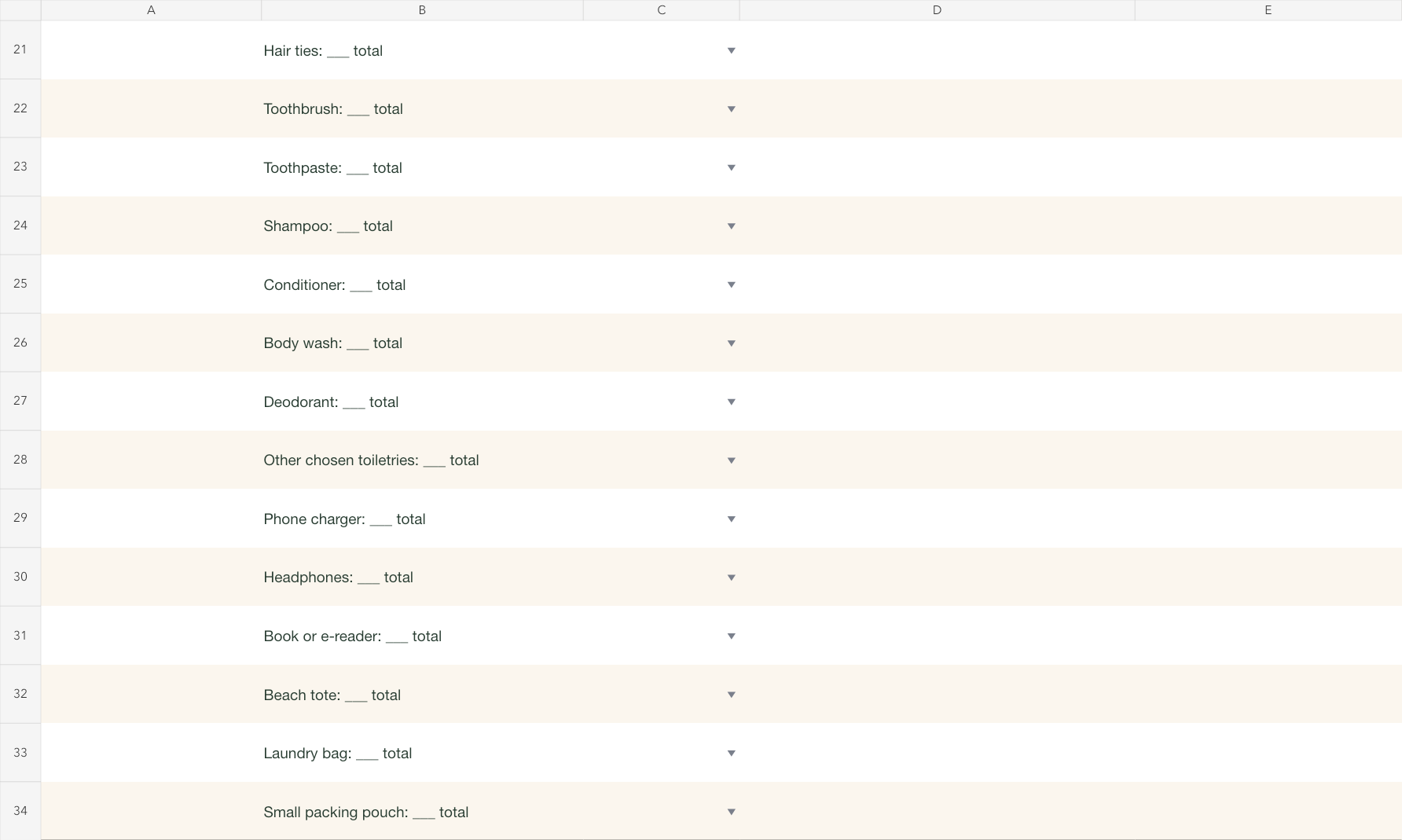
The starter file includes a hairbrush or comb, hair ties, toothbrush, toothpaste, shampoo, conditioner, body wash, deodorant, and an open row for other toiletries you've chosen. If two people share a bottle, use a single row marked Shared. Personal brushes and other individual belongings can stay under each person's name.
This is where an amenity check can change the list. If you want your own shampoo regardless of what's supplied, keep it on the packing list. If you'd be happy to use the resort's, leave the decision open until you have its answer. A blank confirmation cell means you haven't recorded an answer, not that the item is unavailable.
For the rest of the room, consider your phone charger, headphones, a book or e-reader, a laundry bag, and a small packing pouch. They're included as optional starters. Change Phone charger to the actual cable and plug you use if that will help you distinguish it from the other chargers at home.
Check the belongings you might leave at home
You don't need to investigate every sock. Use Resort confirmation only for items where an answer would change what you bring. A towel, a toiletry, or another item named in your booking information can go here. Add a row if the item isn't already in the starter file.
Write the specific answer you received, with enough context to find it again. The examples below are fictional entries showing how to use the column; they aren't claims about any resort.
Pool towel:
Asked resort; answer still pending. Leave the packing choice open.Shampoo:
Resort reply saved with booking; I'll bring my preferred bottle. Keep the item and record its bag location.Beach tote:
No confirmation needed; bringing our own. Pack the tote you've chosen.
Keep Packed state separate from that answer. Packed means the item is physically in its bag. Skip means you've chosen not to bring it. An item the resort will supply still hasn't been packed by your family, so Skip is the clearer choice if you're leaving yours behind.
A tote for the things you want within reach
The list includes a beach tote, but you can rename it to the bag you'll use around the resort. Think about what you'll reach for during the first part of your stay: perhaps a book, headphones, swimwear, or a cover-up. Add a pouch for damp swim things if you'd use one.
Use Bag / carry-on location to name a real spot, such as Striped tote, inside pocket or Blue suitcase, top pouch. If you'd like a book within reach on arrival, putting its location on the row helps you find it without opening every bag. This column records your chosen location; it doesn't determine what an airline permits.
For a beach outing separate from your resort stay, the beach trip packing list covers that day's gear. For a trip with several different stops, the broader family vacation packing sheets may be a better starting point.

Preview and edit the spreadsheet
These two previews show the actual starter rows included in the download. Traveler names, packing states, confirmations, and bag locations begin blank. Open either preview to see it at full size.
Download the resort packing spreadsheet (Excel .xlsx)
Open a saved copy in Excel, replace the quantity blanks, and edit the item names. You can keep an unused row marked Skip or delete that table row. Duplicate an item row when another traveler needs their own entry. Use the header filters to show one person's belongings or the items marked Pack last, and clear the filter when you want to see the whole list again.
The packing dropdown offers Pack last, Packed, and Skip; an empty cell means it hasn't been marked. If you take something back out to use before departure, change its state back from Packed. The header stays frozen while you scroll. Long notes wrap in their cells; adjust the row height if your own note needs more space.
The workbook is designed for editing on a larger screen. It isn't a preformatted one-page PDF, and compatibility with other spreadsheet apps hasn't been tested. The belongings above remain readable on this page without a download.
For more trip resources, browse the family travel collection.