A place for everyone on your list
Enter one name per line, in the order you want to print. Each nonempty line makes one card. A folded sheet holds four guests; a flat sheet holds eight. The last sheet contains only the cards you requested, up to 80 at a time.
Two guests named Alex need two cards. The editor shows repeated names and their line numbers, then asks you to confirm that you want both. Add an initial or surname if that will help people find their places. Empty lines are ignored; the other names keep their order.
The optional table label appears beneath every name. For several tables, make one batch per table and download each batch before changing the label. You can also leave it empty for a single dinner table. This maker prints the names you enter; it does not choose where people sit.
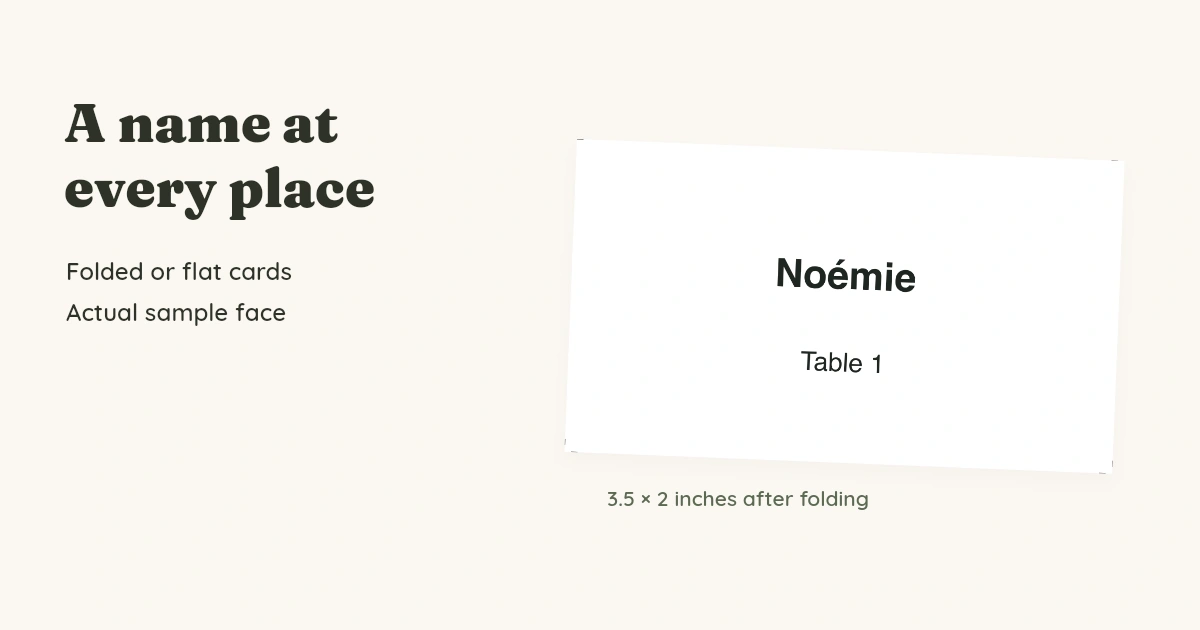
Folded tents or flat cards?
Choose Folded tent when the card should stand on its own. The uncut card is 3.5 inches wide by 4 inches tall. After the center fold, each face measures 3.5 by 2 inches (88.9 by 50.8 mm). The name appears on both sides so it can be read from either side of the table.
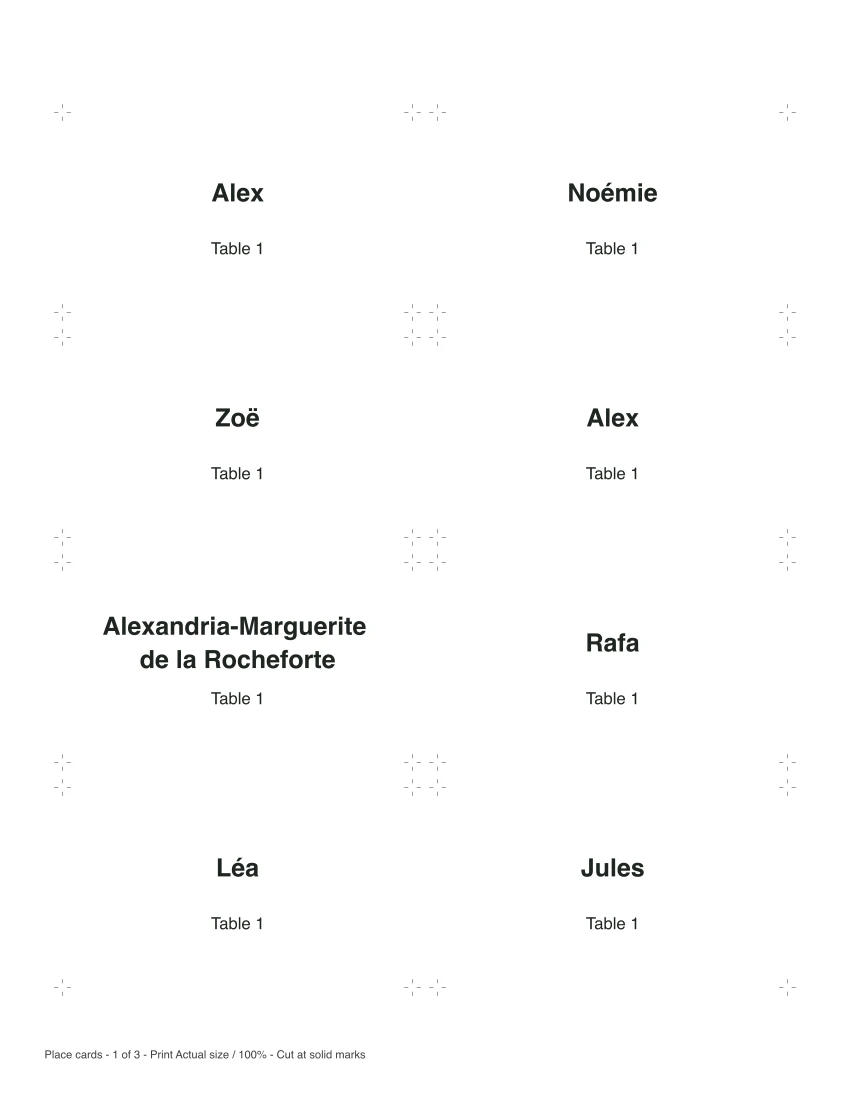
Choose Flat for a card resting on a plate, tucked into a napkin or placed in your own holder. Its finished size is also 3.5 by 2 inches. Check the width of a holder before printing; these sheets are not aligned to pre-cut stationery.
Names stay in bold at 18 points. A long name wraps across two lines rather than shrinking. The table label stays at 12 points. If a name or label is too long, the editor tells you which line to shorten and keeps your text in place.
Can I print accented names?
Latin letters, common Western accents and ordinary punctuation are supported. The example includes Noémie and Zoë. Other scripts or emoji may need characters the PDF font cannot print; the editor identifies that line before a download is available.
Inspect a full batch before printing
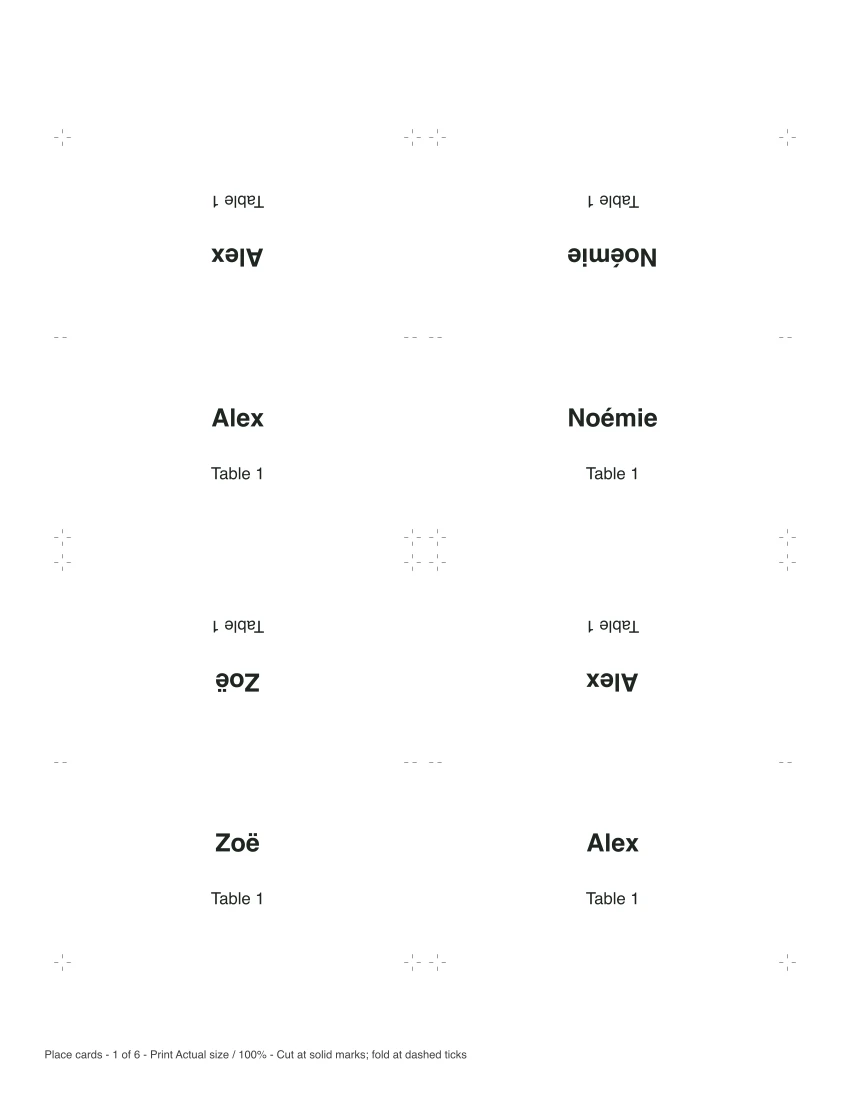
These fictional examples contain 23 guest names, including two Alex entries, accented names and a long name that wraps. The folded example uses six sheets; the flat version uses three. They demonstrate the same layout rules as the editor.
Folded tent example
Flat card example
For last-minute additions, select Blank cards for handwriting in the editor. Choose the number of cards and keep the optional table label if useful. Your typed guest list stays in its field when you switch back.
Cut, fold and set the table
- Choose Letter or A4 in the editor to match your paper. Download the PDF and print single-sided at Actual size / 100%. “Fit to page” changes the card dimensions.
- Cut each card at the solid corner marks. The dashed marks at the sides of a folded card locate its center fold; they are not cut marks.
- For a tent, fold between those dashed marks with the printed sides facing outward. The two names will stand upright on opposite faces. For a flat card, leave it unfolded.
- Try one sheet first. Measure a card and check how it stands or fits your holder before printing the full batch.
Heavier paper can help a folded tent stand, but use a weight your printer accepts. Plain paper is useful for a first size check.
Will my list be here when I come back?
Keep this page open while editing. Downloading leaves your names in place; reloading returns to the example. Keep a separate copy of the guest list in your notes if you will need it again. The PDF is for printing, not an editable form. To correct a name, change it here and download another copy.
For labels that go on presents, use the gift tag maker. If guests are bringing something to share, the sign-up sheet maker gives you a separate sheet for those contributions.
Keep the maker for your next gathering
Published November 2, 2026.