Meal planning · July 10, 2026 · 5 min read
“I don't know, what do you want for dinner?”
Nobody can name a dinner at the end of a workday. Keep a short list of the ones you already make, sorted by the kind of night each fits. Printable included.

“What do you want for dinner?” “I don't know, what do you want?” Nobody in that exchange is being difficult. Two tired people are asking each other to invent a meal from scratch, at the hour when neither of them has anything left to invent with.
It isn't a shortage of dinners. Your family has eaten hundreds of them. But standing in front of an open fridge at the end of the day, you can't retrieve a single one, so the question shows up every evening as though it has never been asked before. Pasta wins again, and nobody exactly chose it.
So answer it on a calmer day and keep the answer where you can see it. Write down the dinners your family already makes and would willingly make again, then sort them by the kind of night each one can survive. Planning the week becomes picking from that list.
How many dinners the list needs
Twelve to fifteen meals is a practical starting range, not a rule. A family with varied schedules or appetites may want more. A family in a demanding season may be better served by eight meals that reliably get made. The useful number is the shortest list that gives you enough range without burying the meals you reach for.
Build it from what already happened, not from what you wish you cooked. Look at the last few weeks of dinners, your grocery receipts, or the meals people ask for by name. Write down what you've really cooked and would willingly cook again. That list already contains the beginnings of a rotation.
Sort them by the kind of night they fit
A flat list still asks you to compare pasta, chili, sandwiches, and pulled pork as though they solve the same problem. Categories make the list easier to use because you can first choose the kind of effort the night can support.
These five cover a useful range:
- Quick: on the table in about thirty minutes. Tacos, stir-fry, quesadillas, pasta with a jar sauce, breakfast for dinner. These carry your busiest weeknights.
- One-pot: one pan or pot, not much cleanup. Chili, chicken and rice, a big soup, a sheet-pan dinner. Good for the nights you can cook but can't face a sink full of dishes.
- Assembly: no real cooking, just putting things together. A rotisserie chicken with sides, a loaded salad, sandwiches, a snack-plate dinner. These save the nights you walked in late.
- Slow-cooker: start it in the morning, come home to a finished dinner. Pulled pork, a stew, beans, shredded chicken. Good for the days you already know the evening will be chaos.
- Backup: the meal that needs almost no lead time. Frozen dumplings, pantry pasta, scrambled eggs, or a freezer meal you stocked ahead. Two dependable backups keep a disrupted evening from becoming a new planning problem. If that slot is thin, start with freezer meals for busy nights.
Aim for two or three meals in each category if that reflects how your family eats. Empty categories are information too. If slow-cooker meals never work for you, don't fill those lines just to complete the sheet. Add another quick or assembly meal instead.
If one kid currently eats about four foods, the list still works, it just carries a passenger. Favor the meals that come apart: noodles pulled out before the sauce, taco fillings kept in separate bowls, a plain plate of the same components. That is not a fix for picky eating, but it keeps you from rebuilding the same workaround every week.
Print it and fill in the slots
Here's the rotation, ready to tape inside a cabinet door. Fill it in on a computer, or print it and write by hand. Use the main slots for meals with a track record. The separate test line is where an unproven recipe belongs.
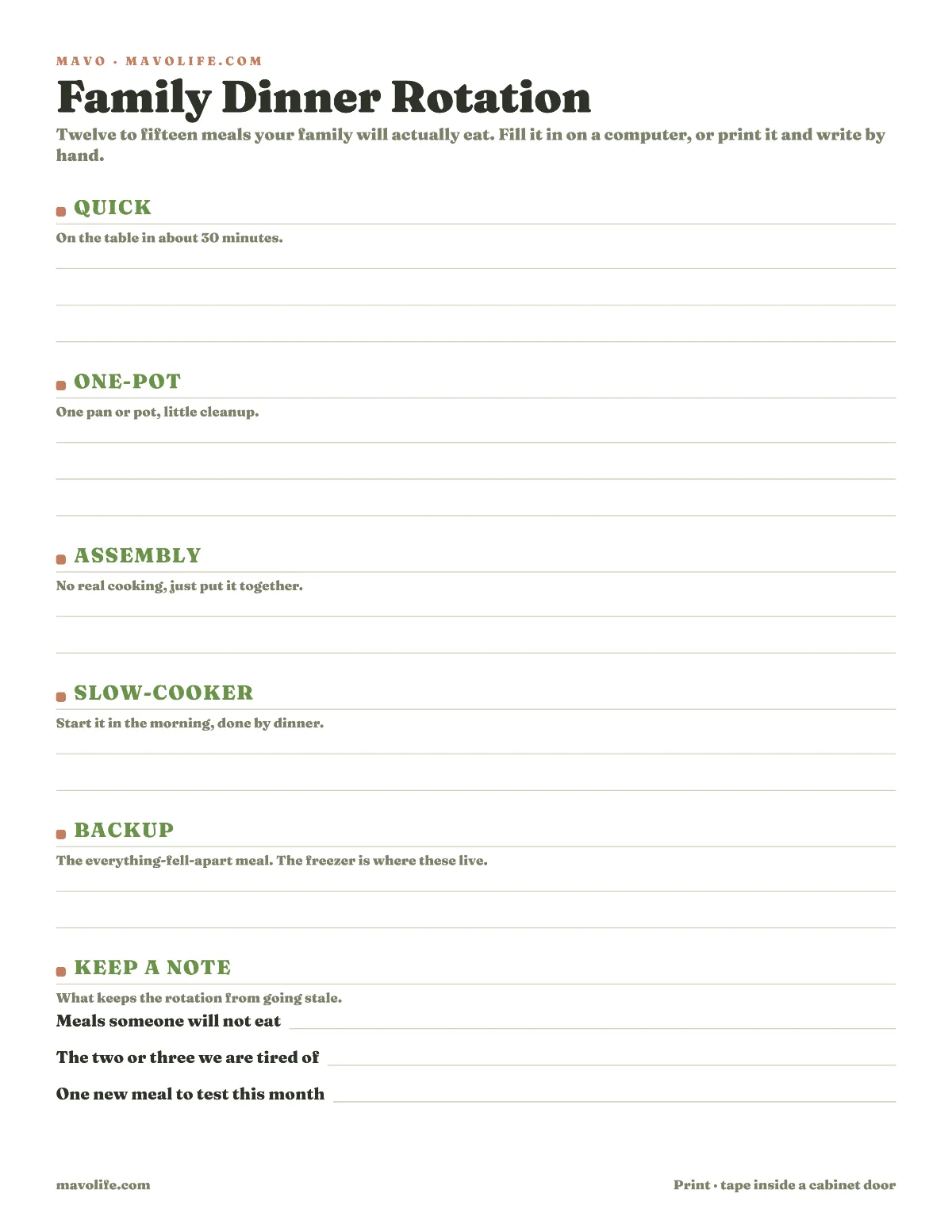
Download the printable dinner rotation (PDF)
A meal earns a permanent spot by being usable. People will eat it, the cook can make it on the kind of night assigned to it, and its ingredients fit the way you normally shop. It doesn't have to be exciting. It has to survive contact with an ordinary week.
Use the two lines at the bottom as a small maintenance loop:
- Rest: a meal people are tired of, without declaring it gone forever.
- Test: one new meal to try before it takes a regular slot.
Changing one entry at a time gives the rotation controlled variety. You learn whether a new dinner belongs without replacing a whole system that already works.
Picking the one that fits Tuesday
Plan from the calendar toward the menu. Mark the nights with late pickups, activities, or uncertain arrival times. Give those nights quick, assembly, slow-cooker, or backup meals. Put meals with more cooking or cleanup on the nights that can absorb them.
The category narrows the choice without making it for you. If Wednesday can only support an assembly meal, you still get to pick which one. That is enough choice to keep dinner flexible without reopening the entire universe of possible meals.
If practices and pickups determine the week, a schedule-first weeknight plan walks through that matching step night by night.
In Mavo, meals can sit beside the shared family calendar, so the dinner selected for Thursday is visible with Thursday's schedule. Anyone looking at the plan can see what was chosen. Mavo doesn't choose from the rotation for you, but it gives the family one place to keep the choice current.
The groceries start repeating too
A rotation makes grocery planning more predictable because its ingredients recur. Taco night often uses the same tortillas, beans, cheese, and toppings. The sheet-pan dinner pulls from a familiar group of proteins and vegetables. You still check what is on hand, but fewer items have to be recalled from scratch.
After several weeks, identify the core ingredients that appear across the rotation. Keep that core as a standing list, then add the meal-specific items after you choose the week. This is also where a shared grocery list that stays current helps: one person can add the last tortillas while another is already at the store.
When you want the weekly dinners and the groceries they still need in one file, use the meal planning template with grocery list.
In Mavo, the grocery list lives in the same shared plan as meals and the calendar. After you pick the dinners, you can add or update the items they need, or ask Mavo to add specific items for you. The list isn't generated automatically from recipes, so the useful habit is still simple: choose the meals, check the kitchen, then update the shared list.
Start with five slots: one quick, one one-pot, one assembly, one slow-cooker if you use it, and one backup. Fill them with dinners you already made this month. Mark one meal to rest and one to test. That is enough to have an answer the next time someone asks from the kitchen doorway.