Pickup & drop-off · July 10, 2026 · 7 min read
Not everyone you'd call can leave school with your kid
Your school decides who it will hand your kid to, and the rules vary. Find out before the day you need it, plus a printable call list and a text you can send.

You already know who you'd call. Your sister, the neighbor with the minivan, the dad whose kid sits at the same table. What most of us don't know is whether the school will hand our kid over to any of them.
Schools don't agree on this, and the differences aren't small. Tulsa Public Schools requires written authorization in its system and photo ID for early release during the school day. Benicia Unified documents signed written notice, authorized contacts in its portal, and a verified verbal route that only applies in an emergency. Someone who is willing, close by, and free that afternoon can still get turned away at the office window.
So the plan has two halves: what your school will accept from you, and who you'd call, in the order you'd call them. Whoever normally does pickup still has Monday. This is for the afternoon that person can't get there.
Ask the school who they'll release your kid to
Write down the rules for the place and the situation your family uses. Normal dismissal, leaving early during the school day, aftercare, a bus handoff, and a declared emergency can each have different records, gates, and phone numbers.
Four questions for the office or program:
| What to verify | What you need to record |
|---|---|
| Who may authorize another adult? | The parent, guardian, enrolling parent, or other person the policy names. |
| What makes the adult eligible? | An existing authorized record, signed notice, portal designation, or another accepted route. |
| How can a same-day change be made? | The exact form, portal, written note, office visit, call, or emergency exception the school accepts. |
| What must the adult bring or do? | Any photo ID, office check-in, gate, password, or other verification the school requires. |
KCK Early Childhood Center lets the enrolling parent change the authorized list in the office or by phone, and the adult who shows up still has to be on that list with photo ID. Hubbard Street Elementary uses an emergency-card list, ID, and separate request and reunion gates for a declared emergency. Those are reasons to ask locally, not a menu every school offers.
Keep the labels straight while you're at it. Being an emergency contact doesn't automatically make someone allowed to collect a child. That depends on what the school's own record says. All four of the policies above mention identification. Four schools aren't a national rule, so confirm what yours asks for.
If your kid moves between two houses, check whose names the school has on file. Some records key off the parent who enrolled, so an adult from the other household may need to be added through the process rather than mentioned in passing.
Who you'd call, in the order you'd call them
Once you know the process, put the people in order. The first name should be whoever is most likely to be close by, free, eligible under the process you just checked, and able to handle whatever the ride requires.
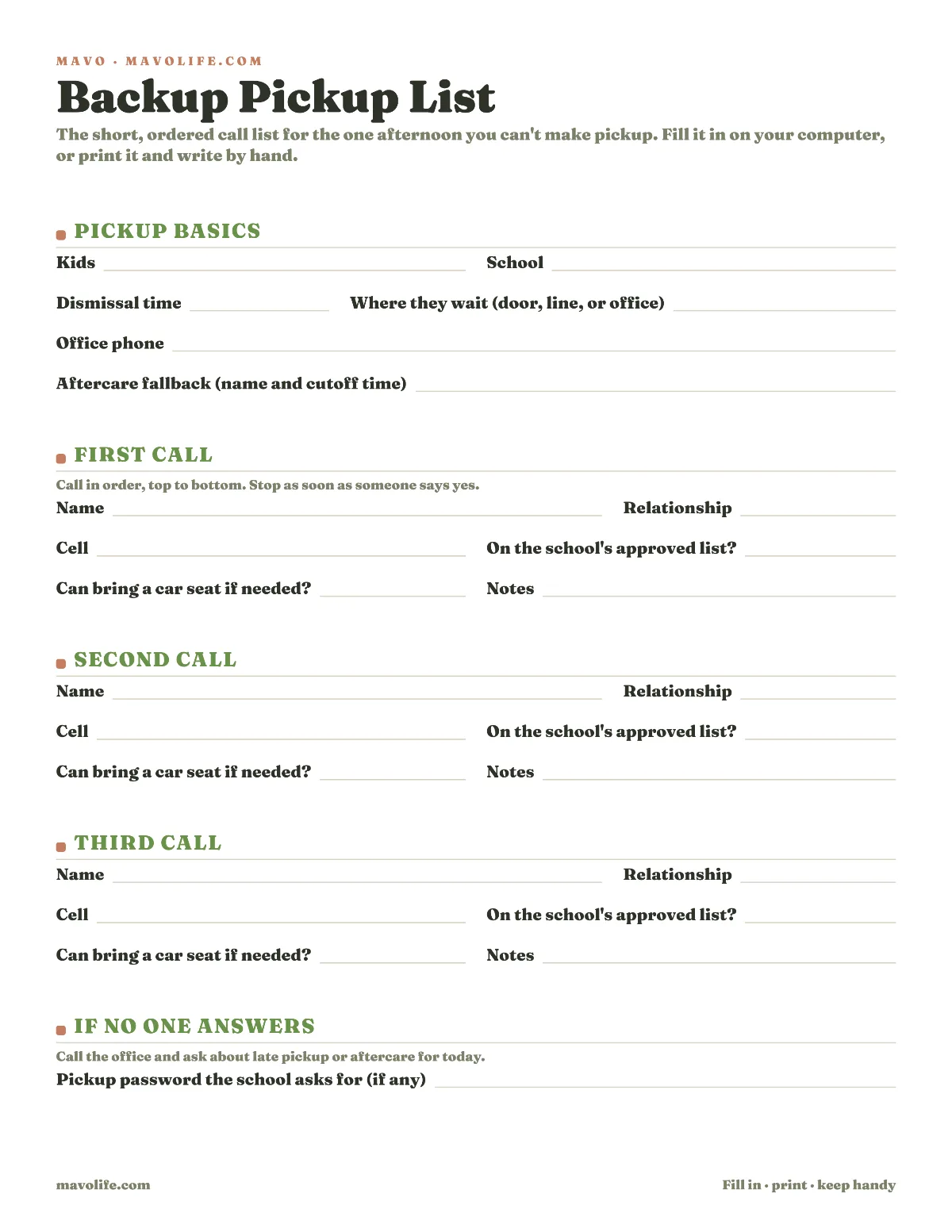
Download the printable backup pickup list (PDF)
The printable has five call rows, numbered so the order is the point. Some families have one real name, some have four. For each one you'd genuinely call, write the name and the number they actually answer, then tick the two columns that decide whether the call is worth making at all: whether they're eligible under your school's process, and whether they can cover a car seat if your kids still need one.
Rank by who could really do it, not by who you're closest to. A grandparent three states away might be exactly the right person to list for an emergency and still can't cover the 3:15 pickup. A parent from the same class may already be standing at dismissal, though both their availability and the school's permission need confirming rather than assuming.
The fields at the top of the page carry as much weight as the names: school, dismissal time, where the kids wait, the office number, and your family's real aftercare or late-pickup fallback. Where they wait is a small line that does a lot of work. "Front office" and "the bench by the gym doors" send an adult to two different parts of the building.
Under those sit three lines for what the office told you: how you authorize another adult, what that adult has to bring or do, and whose authorization the school will take. Those are the answers to the table further up, written down where you'll be looking when you need them, so you can say the procedure out loud on the phone instead of trying to remember it.
If your school doesn't use an approved list or a pickup password, leave those two blank and write what it does use on the school lines instead. Don't invent a local rule to make every box look full.
The text that's easy to say yes to
Make the ask easy to answer without implying the school side is already cleared. Copy this and fill the blanks from what you verified:
Hi ______, I can't make pickup for ______ today. Can you cover it?
School/program: ______________. Pickup is ______ at ____________.
The procedure for this pickup is: ____________________________. I'll complete the parent step now. Please bring or do: __________________.
Reply yes if you can take it, and send me a quick note after you've collected them. Thank you.
Treat their yes and the school's yes as two separate things. A call from a parent is enough at some schools, counts only as a heads-up at others, and doesn't satisfy the requirement at all somewhere else. Use the form, portal, written notice, call, or office visit your school takes.
That last message back, the one after they've got the kid, isn't a school rule or a safety guarantee. It's what lets the other parent stop refreshing their phone, and it tells the family who has the kid right now.
If the person collecting also needs the rest of the afternoon (the medicine, the house, the bedtime routine), send them the babysitter and grandparent handoff sheet. Keep this text about the pickup itself.
Keeping it where both parents can find it
Print the list and put it where you'd look first. Paper in a kitchen drawer works fine right up until you're the parent stuck in a parking garage across town, which is why the same details should live somewhere both of you can reach from a phone.
If your family uses Mavo, the pickup event can hold the rest: the procedure you verified, the office number, where the kids wait, and the call order, all in the event's notes. Add a reminder to the pickups with no margin, and assign who's handling it so the rest of the family can see the afternoon is covered instead of asking.
Two limits worth knowing. The person you assign has to be someone in your family with their own Mavo sign-in, so a neighbor covering one Thursday stays a note on the event rather than the person handling it. And Mavo doesn't keep the school's authorization record, check IDs, call the office, or activate a backup for you. The school decides who's eligible, and the adult still has to say yes.
What to fix the next time the school asks
Pick the moment that matches your school. Benicia documents an annual contact confirmation, but there's no single universal fall form or August update cycle. Yours may use registration, a portal, a paper form, an office visit, or something else.
At the next chance to update:
- confirm which pickup settings use which process;
- check whether emergency contact and pickup permission are separate fields;
- update each adult's eligibility through the method your school accepts;
- record any identification, entrance, cutoff, or aftercare requirement;
- reread the names and phone numbers on your family call list, because people move and change numbers.
If the school changes its rules, fix the procedure before you rearrange the call order. A neighbor who could be there in four minutes is still the wrong first call if the school won't release your kid to her.
For the ordinary week, the after-school coverage map shows where each kid lands and the two-parent pickup schedule sorts out the recurring days. Keep this one beside them for the afternoon the plan has to change hands.