Sports schedules · July 10, 2026 · 5 min read
Somebody always drives to the old field
Field 4, an hour earlier, and you're the one forwarding it to five people. A copy-paste change message, and how to stop relaying updates person to person.
Coach: game moved to Field 4, and it starts an hour earlier.
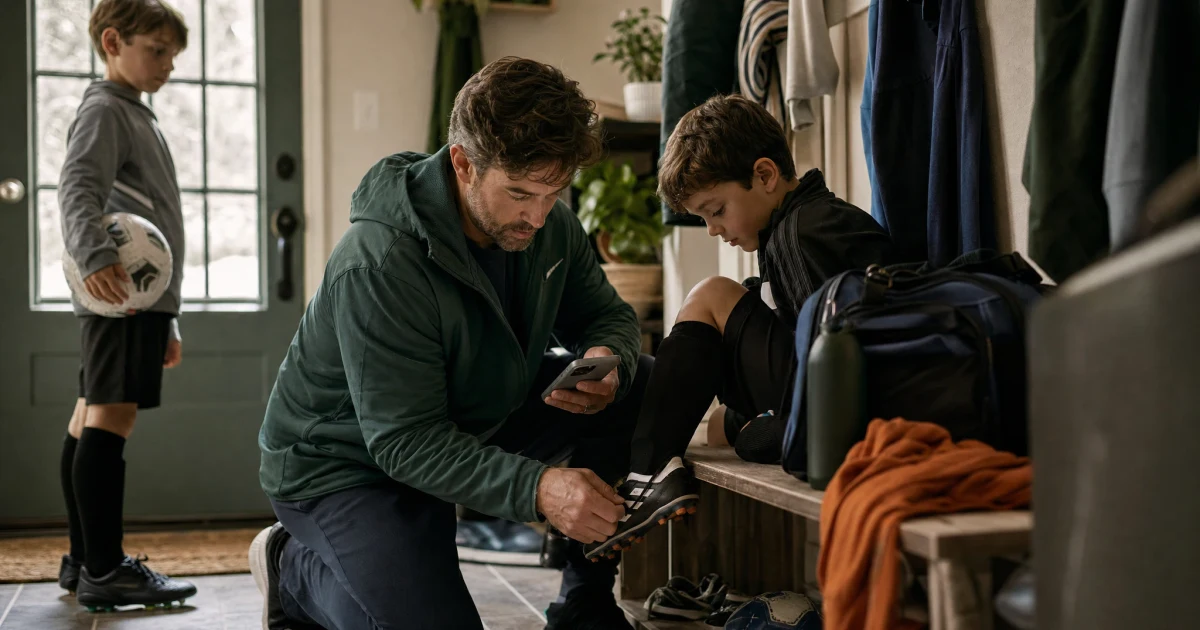
You read that in the mudroom with one cleat still in your hand. Understanding it takes four seconds. The rest of the morning goes to everyone who isn't standing in the mudroom: your partner, the grandparent doing pickup, the two families in your carpool, and the kid who still thinks the game is at the usual field at the usual time.
So you forward it. One person, then the next, and you hope it gets all the way around before Saturday. It almost gets all the way around.
Why the phone tree always drops someone
A phone tree is a game of telephone where somebody ends up at the wrong field. Every hop is a chance for the message to bend.
You forward "Field 4, one hour earlier." The next parent reads it at a red light, holds onto "earlier," loses "Field 4," and passes along the wrong half of the change. Someone screenshots an old text. Someone replies on a thread you're not on. The grandparent never joined the group chat and calls to confirm, which is one more thing you're handling from the mudroom floor with a cleat in your hand.
Five people forwarding five slightly different versions of the same update is how one family ends up warming up at the old field while everyone else is across town.
Put the change where everyone already looks
So stop relaying it. Change the game once, somewhere the whole family already opens.
When the change lives there, the update stops depending on who remembered to tell whom. Same corrected time, same field, same everything, whether someone looks at 8 a.m. or right before they leave.
For that to work, the season has to be somewhere shared in the first place. If practices and games still live in a coach's group text and your own memory, that's the thing to fix before the next change lands. Here's how to turn a season of schedules into one shared family calendar so a change has a single place to go.
The carpool is its own kind of telephone. If yours gets re-litigated in a group text every week, a carpool schedule everyone can see means a time change updates one row instead of reopening the whole rotation.
The one message that covers the whole change
Even with one shared place, you'll still send a heads-up to the families who aren't on your calendar. Send one message that covers everything, so nobody has to reply asking which field.
A good change message has five parts:
GAME CHANGE - [team], [day / date]
What changed: [new time / new field / cancelled / delayed]
New details: [new start time], [field + address]
Still the same: [uniform, arrival time, what to bring]
Rides: [who's driving], [pickup time and place]
"Still the same" is the line people leave out, and it's the one that heads off the panic reply. If only the field moved, say the time is unchanged out loud, so nobody assumes everything else moved with it.
Forward the change, then approve the update
If your family keeps its plan in Mavo, you can skip retyping the change into the calendar yourself.
Paste the coach's message into Mavo, forward the email, or drop in a screenshot of the text. Mavo reads it, finds the game on your family calendar, and shows you the edit it wants to make: old time crossed out, new time in, the field swapped, an address attached. You read the before and after, then approve it. Nothing changes until you do.
You get the last word here, and that's what keeps it safe. You're the one who knows whether "Saturday's game" means this week's or the whole recurring block, and whether Field 4 is the one at the middle school or the one across town. Mavo drafts the edit; you confirm it's right.
For a rained-out game, the same move works. Forward "cancelled," approve the removal, and there's no ghost game left on Saturday for half the carpool to still believe in.
Who finds out without you texting them
Once the game is corrected in one place, most of the relay stops being something you run by hand.
Both parents see it. The updated game sits on the same shared calendar you both already open, so there's no "did you tell Dad?" step. You choose who the reminder goes to as well: you, whoever's handling it, everyone going, or the whole family. They get the new time instead of the old one. The kid who checks the family calendar before packing the bag sees Field 4, an hour earlier, same as you.
The ride is usually the part that breaks. If the earlier start blows up who was driving, change who's handling the ride right on the event, and the swap is visible instead of living in your head. On the Plus plan and up, Mavo tells whoever the ride just landed on, so the new driver doesn't find out at 7 a.m.
For the carpool families who aren't on your calendar, ask Mavo to draft the heads-up, then send it yourself. You get one clean message with the whole change in it, the coach's update turned into something readable at a glance, and you're still the one who hits send.
Sometimes the change reaches you before the coach does. Ask Mavo to keep an eye on the forecast or the league's page before game day, and if a storm or a cancellation shows up, it can flag it early. That's the rare Saturday you're the one texting the coach to confirm, instead of finding out from the bottom of a phone tree.
When the next change lands
A game change is coming. Some Saturday the field will move, the start will jump an hour, or the sky opens and the whole thing washes out.
The part you get to decide is where it lands first. Put it in the one place the family checks, and the new field reaches the grandparent, the carpool, and the kid packing the bag before anyone drives to the old one.